

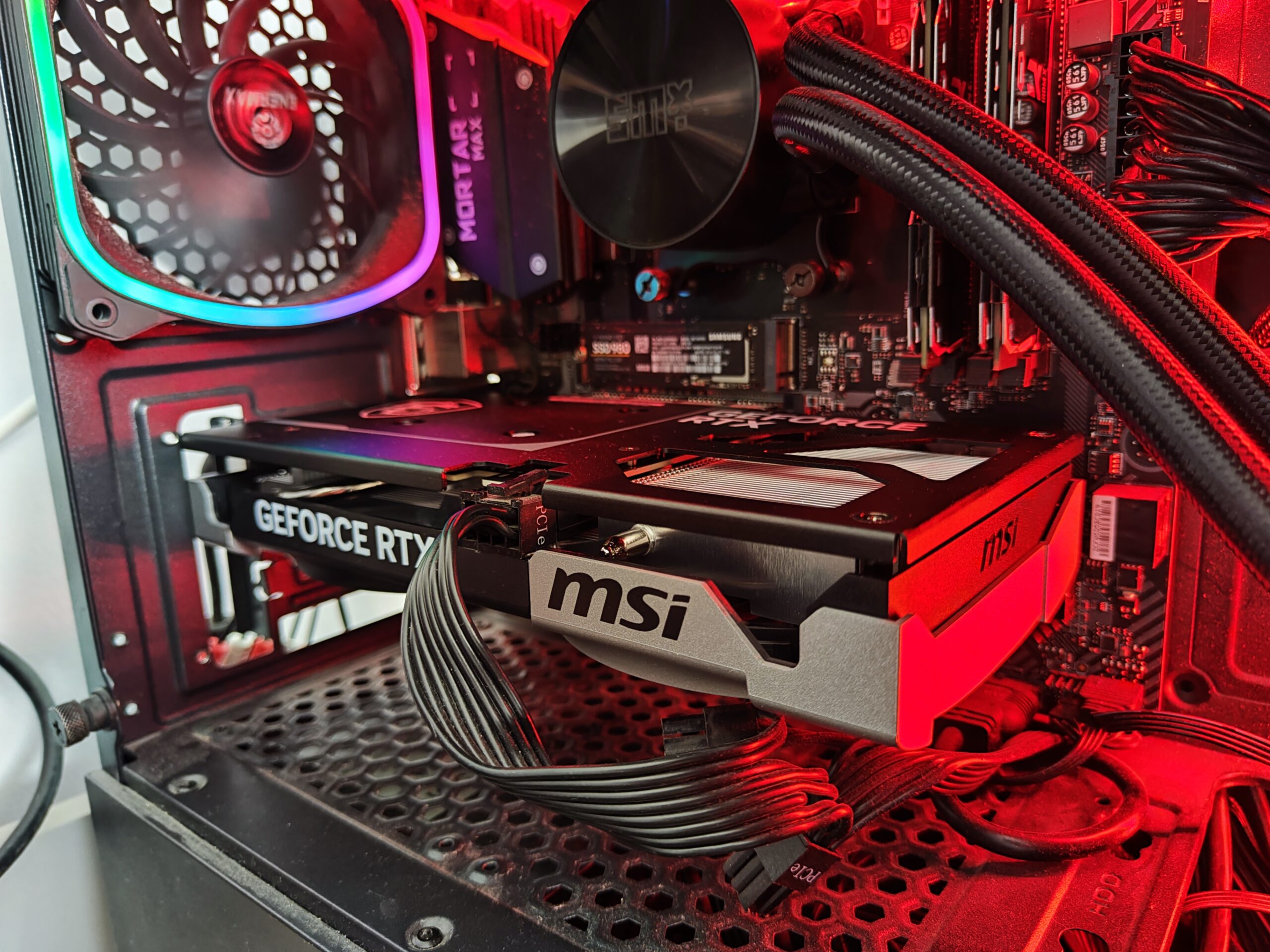
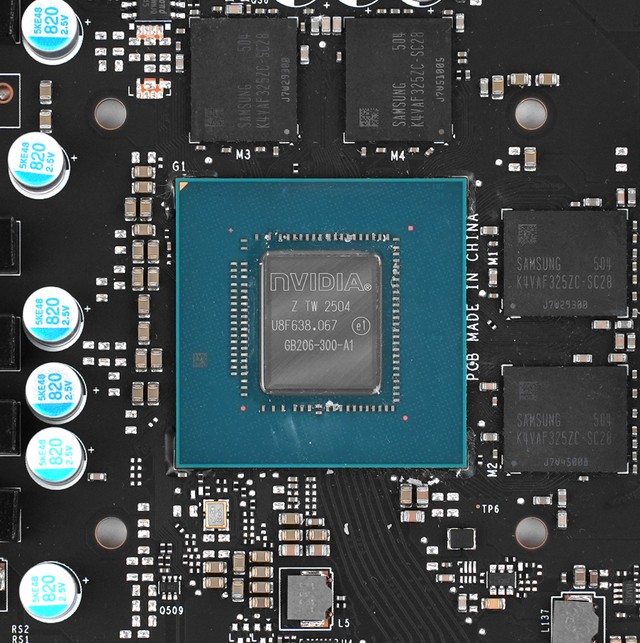
GeForce RTX 5060 Ti 16 GB is a high-performance graphics card from NVIDIA, unveiled on April 16, 2025. It is based on the 5 nm manufacturing process and the GB206 GPU in the GB206-300-A1 variant. The card supports DirectX 12 Ultimate, ensuring full compatibility with modern games and support for technologies such as hardware ray tracing, variable rate shading (VRS), and other advanced features used in upcoming titles.
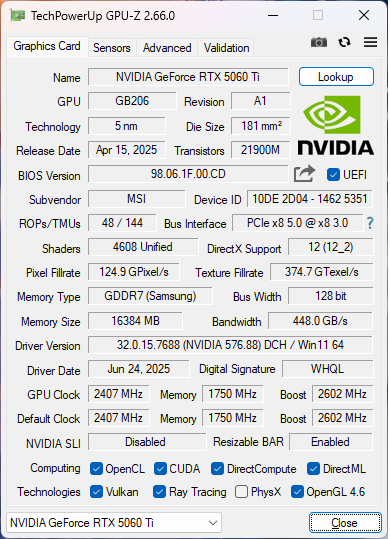
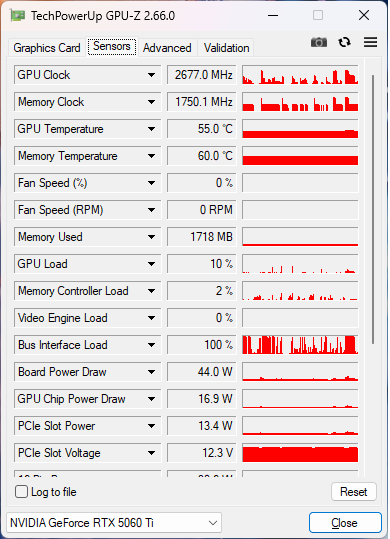
NVIDIA equipped the card with 16 GB of GDDR7 memory connected via a 128-bit memory bus. The GPU runs at a base clock of 2407 MHz and boosts up to 2572 MHz. The memory operates at 1750 MHz (effectively 28 Gbps).
The GeForce RTX 5060 Ti 16 GB is a dual-slot design, powered through a single 8-pin connector, with a maximum power consumption of 180 W.
The card uses the PCI-Express 5.0 x8 interface. Its dimensions are 241 mm x 111 mm x 40 mm, and the cooling system occupies two slots. The suggested retail price at launch was 429 USD.
| Category | Details |
| GPU | NVIDIA GB206-300-A1 (Blackwell 2.0 architecture, 5 nm, TSMC) |
| Execution Units | 4608 CUDA cores, 144 TMUs, 48 ROPs, 144 Tensor Cores, 36 RT Cores |
| Memory | 16 GB GDDR7, 128-bit, 448 GB/s, 28 Gbps effective |
| Clocks | 2407 MHz (base), 2572 MHz (boost), 1750 MHz memory |
| Interface | PCI-Express 5.0 x8 |
| Video Outputs | 1× HDMI 2.1b, 3× DisplayPort 2.1b |
| Power / PSU | 180 W TDP, 1× 8-pin connector, recommended PSU: 450 W or higher |
| Dimensions | 241 × 111 × 40 mm, dual-slot design |
| Technologies | DirectX 12 Ultimate, Vulkan 1.4, OpenGL 4.6, OpenCL 3.0, CUDA 12.0 |
| Caches | L1: 128 KB per SM, L2: 32 MB |
| Theoretical Performance | FP32: 23.70 TFLOPS, Pixel Rate: 123.5 GPixel/s, Texture Rate: 370.4 GTexel/s |
| Manufacturing Process | 5 nm (TSMC 4N FinFET), 21.9 billion transistors, 181 mm² die |
| Launch Date | April 16, 2025 |
| Launch Price | 429 USD |
| Compatibility | DLSS, ray tracing, full DirectX 12 Ultimate compliance |
Performance comparison
Chassis and Cooling
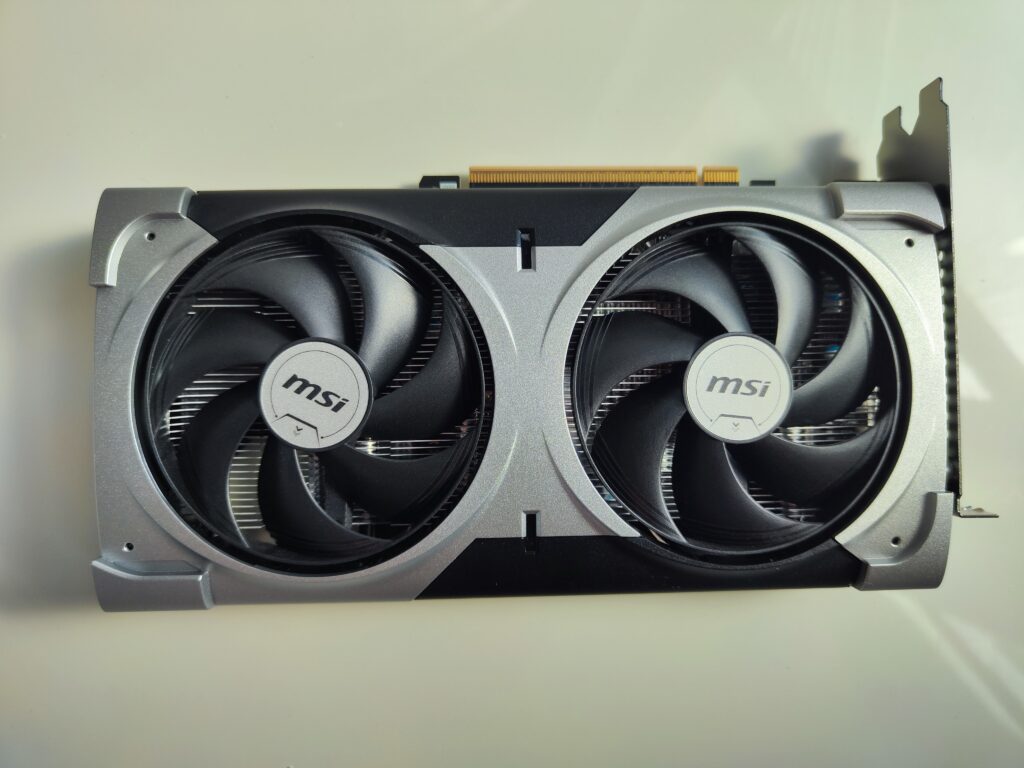
The MSI GeForce RTX 5060 Ti VENTUS 2X OC PLUS stays true to the proven formula of compact and functional graphics cards from the VENTUS family while introducing several structural and thermal improvements that translate into even better performance and stability during long gaming sessions and creative workloads.
The new model is based on the reliable VENTUS 2X dual-fan design, which combines a minimalist aesthetic with high cooling performance. At the heart of the cooling system are two TORX FAN 4.0 fans featuring a unique blade design—pairs of blades are linked together by an outer stabilizing ring, which focuses airflow exactly where it’s needed most. This solution increases static pressure and significantly improves overall cooling efficiency compared to traditional fans.
The fans are also equipped with Zero Frozr technology, which completely stops them at low loads, ensuring absolute silence during web browsing, watching videos, or office work. As temperatures rise, the fans start up smoothly and dynamically adjust their speeds, guaranteeing effective cooling while keeping noise levels low.
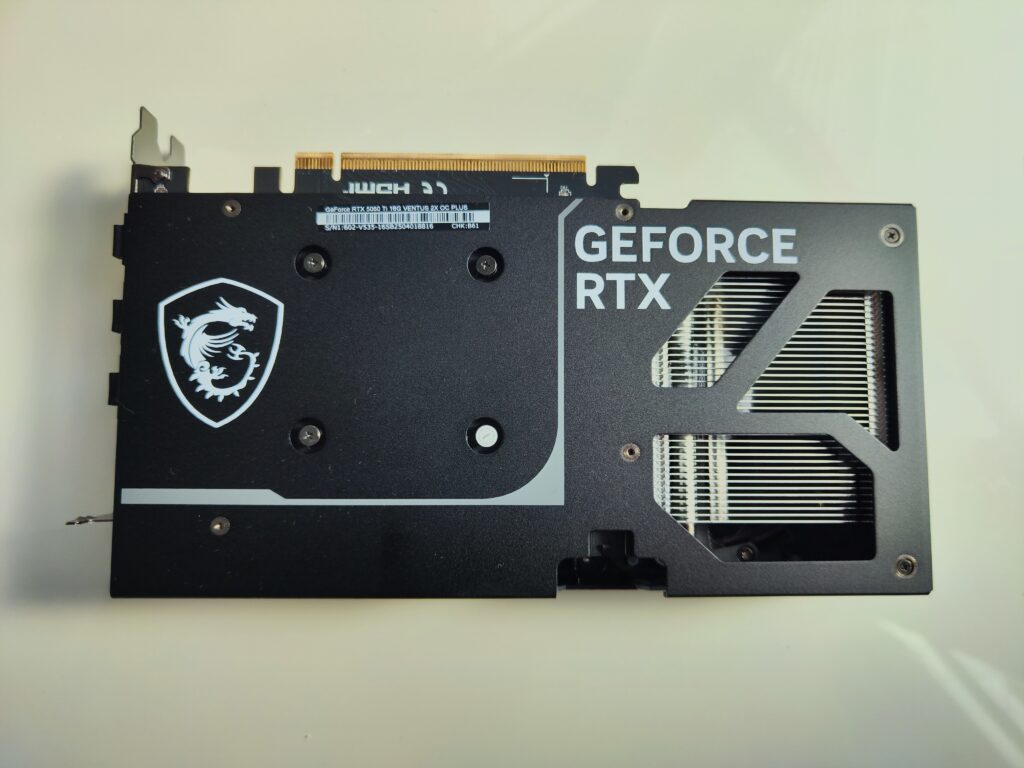
Beneath the aluminum heatsink is a copper contact base and heat pipes that efficiently transfer heat from the GB206 core to the extended fin array. The entire assembly is complemented by a sturdy metal backplate, which not only improves the card’s rigidity but also supports passive heat dissipation thanks to ventilation cutouts and thermal pads.
The card also features an advanced thermal control and voltage monitoring system, ensuring stability even at high clock speeds—the default Boost frequency reaches up to 2572 MHz, with further overclocking potential thanks to the factory OC profile.
All of this is housed in a compact, dual-slot chassis measuring just 241 mm in length, allowing the card to easily fit into most modern PC cases—including smaller mATX or ITX enclosures.
Materials and Build Quality
The main shroud of the card is made from high-quality plastic with a matte finish, which effectively hides fingerprints and scratches. The metal backplate not only enhances the structural rigidity of the card but also acts as an auxiliary heatsink, dissipating heat from the rear side of the PCB. The front of the card maintains MSI’s signature aesthetic—dark color scheme, brushed texture, and elegant, minimalist details.
Design Changes
The MSI VENTUS 2X OC PLUS is a compact graphics card with the following dimensions:
- Length: 241 mm
- Width: 111 mm
- Thickness: 40 mm (dual-slot)
Thanks to these dimensions, the model is an excellent choice for compact cases, while still maintaining very good acoustic performance. The redesigned cooler shroud with subtly rounded edges gives the card a modern appearance that integrates well with the rest of the system components.
Interior and Performance
The RTX 5060 Ti 16 GB graphics card, based on the Blackwell (GB206) architecture, delivers a noticeable performance leap over its predecessors from the RTX 40 series. Thanks to the high core clock speeds (up to 2590 MHz in boost mode) and 16 GB of fast GDDR7 memory, the card ensures smooth operation in games and creative applications—especially at Full HD (1080p) and 1440p resolutions.
Synthetic and Real-World Tests
| Test / Game | Settings | Resolution | Average FPS |
|---|---|---|---|
| Cyberpunk 2077 (RT Ultra + DLSS 3.5) | Ultra + DLSS Quality | 1440p | ~72 FPS |
| Forza Horizon 5 | Ultra | 1440p | ~105 FPS |
| Call of Duty: MW III | Extreme | 1080p | ~135 FPS |
| Hogwarts Legacy | Ultra + DLSS Quality | 1440p | ~80 FPS |
| F1 24 | Ultra | 1440p | ~120 FPS |
| 3DMark Time Spy | Benchmark | – | ~15,300 points |
GPU Die
Video Outputs and PCI Express Interface
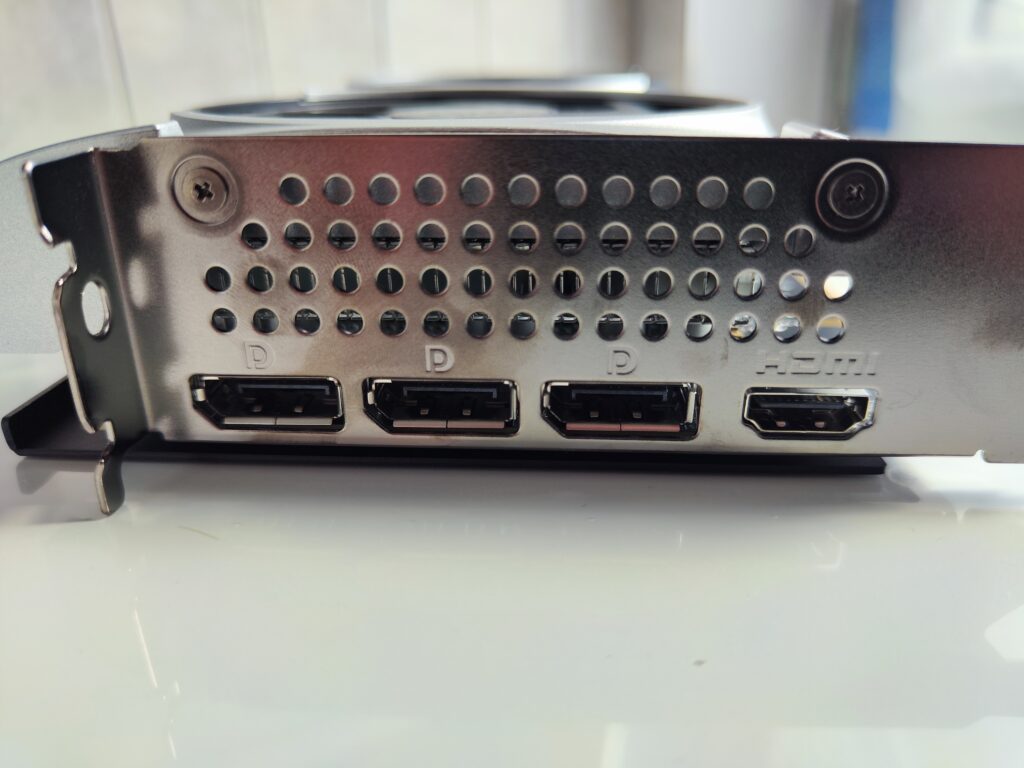
On the bracket of the MSI GeForce RTX 5060 Ti VENTUS 2X OC PLUS, you’ll find a set of modern video connectors, enabling support for the most demanding monitors and multi-display setups. The manufacturer has included:
- 1× HDMI 2.1b – supporting 4K resolution at 120 Hz and 8K at 60 Hz, making it an ideal choice for gamers with modern 4K/8K TVs or monitors, as well as content creators working with high-resolution video.
- 3× DisplayPort 2.1b – a cutting-edge standard offering even greater bandwidth compared to the previous DP 1.4a. This allows support for displays with extremely high resolutions and refresh rates, such as:
- 4K at 240 Hz,
- 5K at 165 Hz,
- 8K at 120 Hz,
- and even 10K with appropriate DSC (Display Stream Compression).
With this set of ports, the card can simultaneously handle multiple modern gaming monitors, professional graphics displays, or VR systems, providing full compatibility with the latest visual technologies.
PCIe 5.0 x8 Interface – A Modern, High-Bandwidth Bus
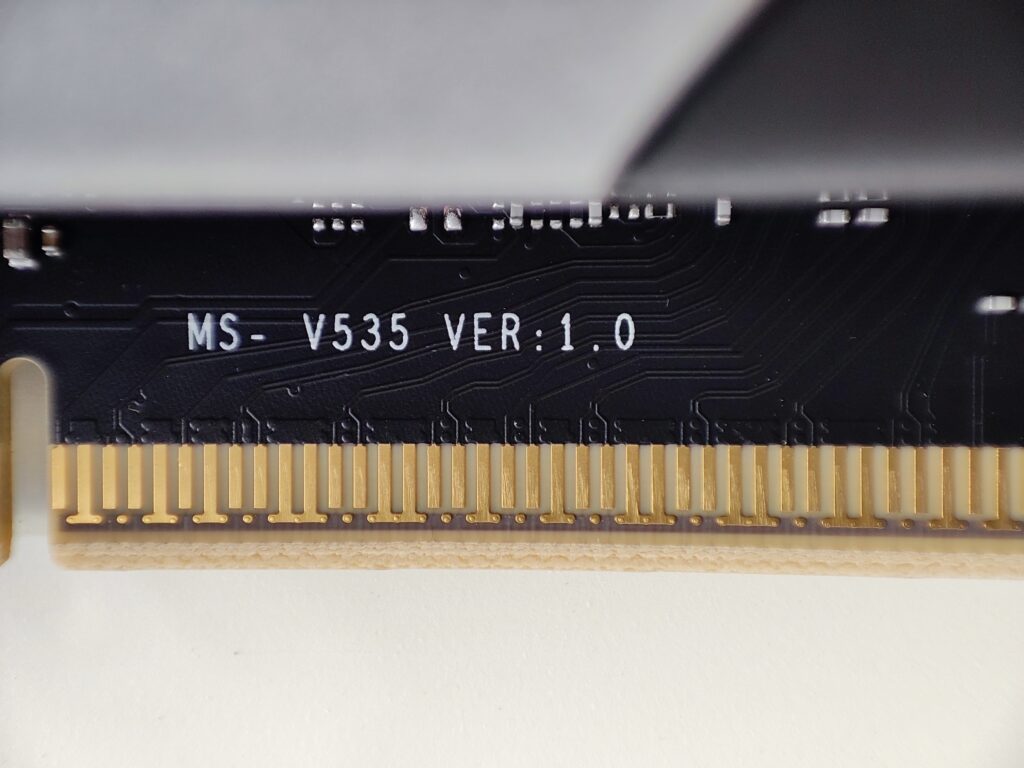
The RTX 5060 Ti graphics card uses a PCI Express 5.0 x8 interface, meaning it communicates with the motherboard using eight signal lanes (x8) in the fifth-generation PCIe standard.
PCIe 5.0 delivers a bandwidth of 32 GB/s (16 GB/s in each direction) in x8 configuration, equivalent to the bandwidth of a full PCIe 4.0 x16 slot—more than sufficient to fully utilize the capabilities of a GPU like the RTX 5060 Ti.
Performance on Older Motherboards – PCIe 3.0 Compatibility
If the card is installed on an older motherboard that only supports PCIe 3.0, it will still function correctly thanks to backward compatibility, but with some limitations:
- PCIe 3.0 x8 offers roughly 8 GB/s of bandwidth, which may become a bottleneck in certain scenarios, particularly:
- modern games with very large 4K texture assets,
- gameplay with ray tracing and DLSS Frame Generation enabled,
- real-time rendering workflows (e.g., Blender Eevee, Unreal Engine).
In typical conditions, the performance difference between PCIe 5.0 x8 and PCIe 3.0 x8 ranges from 3% to 10%, depending on the specific game or application. The most noticeable impact may occur in titles that heavily rely on data transfers between the CPU and GPU, such as games with dynamic texture streaming in open worlds (like Hogwarts Legacy, Starfield, or Cyberpunk 2077).
To fully leverage the potential of the RTX 5060 Ti VENTUS 2X OC PLUS, it’s recommended to install it on a motherboard that supports at least PCIe 4.0, ensuring maximum performance and responsiveness. On PCIe 3.0 boards, the card will still work perfectly fine, but you should expect a slight drop in frame rates or longer asset loading times in certain games. However, in my opinion, this alone is not a sufficient reason to replace your motherboard just because it uses PCIe 3.0. I personally use the card with a B450 chipset board, and everything runs extremely smoothly. Upgrading can always be considered later if you plan other major platform changes.
Power Delivery and Installation Ergonomics
The MSI GeForce RTX 5060 Ti 16 GB VENTUS 2X OC PLUS uses the tried-and-true single 8-pin PCIe power connector, which is one of the key advantages of this card in terms of installation convenience and broad compatibility.
Unlike many higher-end models from the RTX 4000 and 5000 series that rely on the newer and more demanding 12VHPWR (16-pin) connector—often criticized for overheating issues and installation difficulties—the RTX 5060 Ti sticks with the classic solution familiar to PC builders for years.
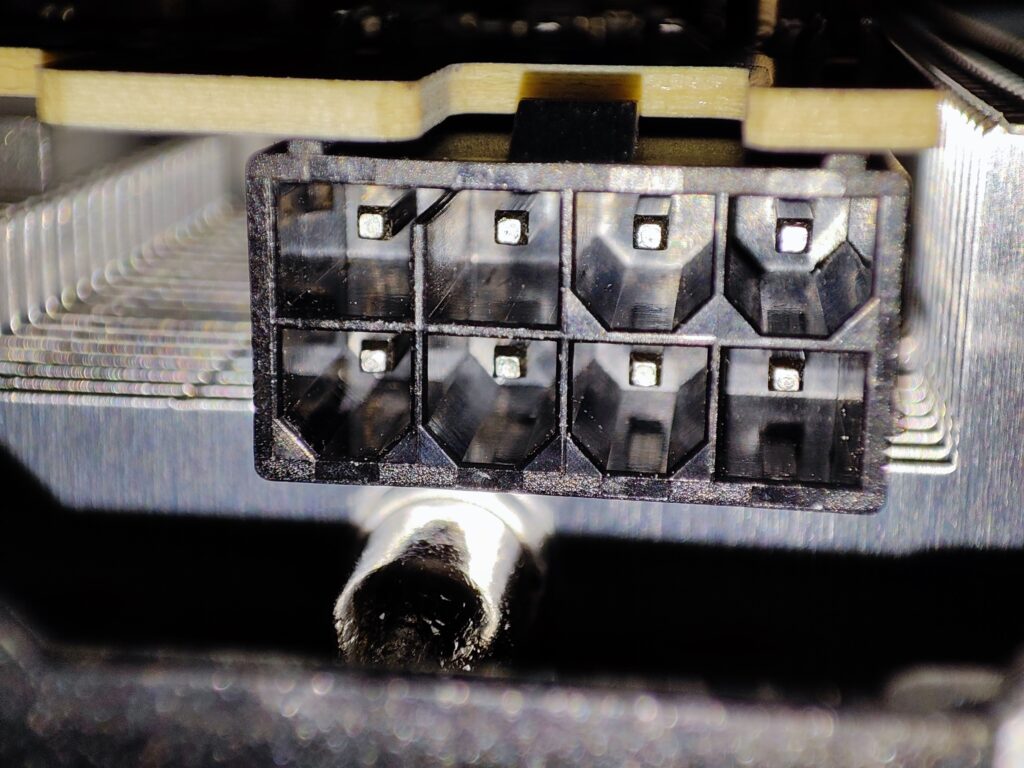
Why is this an advantage?
✅ Wider compatibility: It doesn’t require modern ATX 3.0-compliant power supplies or adapters—working perfectly with virtually any branded 450W+ PSU from the past several years.
✅ Reduced risk of connector damage: The new 12VHPWR standard has, in some cases, caused melting or instability due to improper connections. The 8-pin connector is safe, durable, and proven.
✅ Lower power requirements: With a TDP of just 180W, the card doesn’t need additional power lines—the single 8-pin connector easily handles even boosted clock speeds.
✅ Fewer cables = easier cable management: In compact cases (e.g., mATX, ITX), a simpler cable setup without adapters is a real benefit.
Recommended power supply
- Minimum PSU: 450W (branded unit with a single +12V rail providing at least 30A)
- Recommended for overclocking or high-end CPUs: 500–550W
Thanks to the classic connector, the RTX 5060 Ti VENTUS 2X OC PLUS is an excellent choice not only for its performance but also for its practicality in everyday use—allowing you to upgrade your system without needing a new power supply or fiddling with adapters.
Is RTX 5060 Ti 16GB better than 4060 Ti 16GB?
Honestly, after testing both, I’d say the RTX 5060 Ti 16GB does have a slight edge overall. In most modern games, performance is very close — sometimes even identical — but the 5060 Ti seems to handle heavier scenes a bit better, probably thanks to architectural improvements and slightly better memory bandwidth.
The biggest difference I noticed is in 1440p gaming. The 5060 Ti feels a bit more stable in demanding titles, especially when you’re not using DLSS. Power consumption is similar, temps are nearly the same (at least on the MSI Ventus 2X model), but the 5060 Ti just feels like a more future-proof option, even if it’s only by a small margin.
If you’re choosing between the two 16GB models and the price is close, I’d personally go with the 5060 Ti.
Summary
The MSI RTX 5060 Ti 16GB VENTUS 2X OC PLUS is one of the best budget 16GB GPUs in 2025. It’s a solid mid-to-upper-tier graphics card based on the new Blackwell (GB206) architecture. With 16GB of GDDR7 VRAM and impressive efficiency, it handles 1080p and 1440p gaming with ease, while also being capable of semi-professional tasks like video editing and light AI workloads.
It uses a standard 8-pin power connector, which I like better than the newer 12VHPWR connectors on higher-end RTX 5000 cards — those can cause issues sometimes and make installation trickier. So this one’s easier to fit into most setups.
The cooling is the familiar VENTUS 2X with two TORX fans and an aluminum heatsink. It keeps the card quiet and cool even under load. Plus, it’s a compact, dual-slot design, which is good if you have a smaller case.
Pros
✅ 16 GB GDDR7 – a future-proof memory size for AAA games and creative workloads
✅ Blackwell architecture (TSMC 4N) – improved performance and power efficiency
✅ Quiet operation – efficient and silent MSI VENTUS cooling design
✅ Classic 8-pin power connector – easy installation and broad compatibility
✅ Relatively low power consumption (180 W TDP)
✅ Compact size – only 241 mm long, dual-slot design
✅ Support for DLSS 3.5, ray tracing, AV1, and PCIe 5.0 x8 (but only x8…)
Cons
⚠️ 128-bit memory bus – once typical for budget GPUs, now becoming more common even in mid-range cards
⚠️ No factory RGB lighting option (for users who want visual flair)
⚠️ Smaller performance gain over the RTX 4060 Ti 16 GB than expected
Final Rating: 4.7/5
In my opinion, the RTX 5060 Ti 16 GB VENTUS 2X OC PLUS is a balanced graphics card. It suits gamers and content creators who prefer stable, straightforward hardware without extra complexity. The card offers a decent performance-to-power ratio and a large amount of VRAM, which can be useful for various tasks. Its design is practical and easy to work with. Overall, it delivers solid performance without unnecessary bells and whistles.
0 Comments