

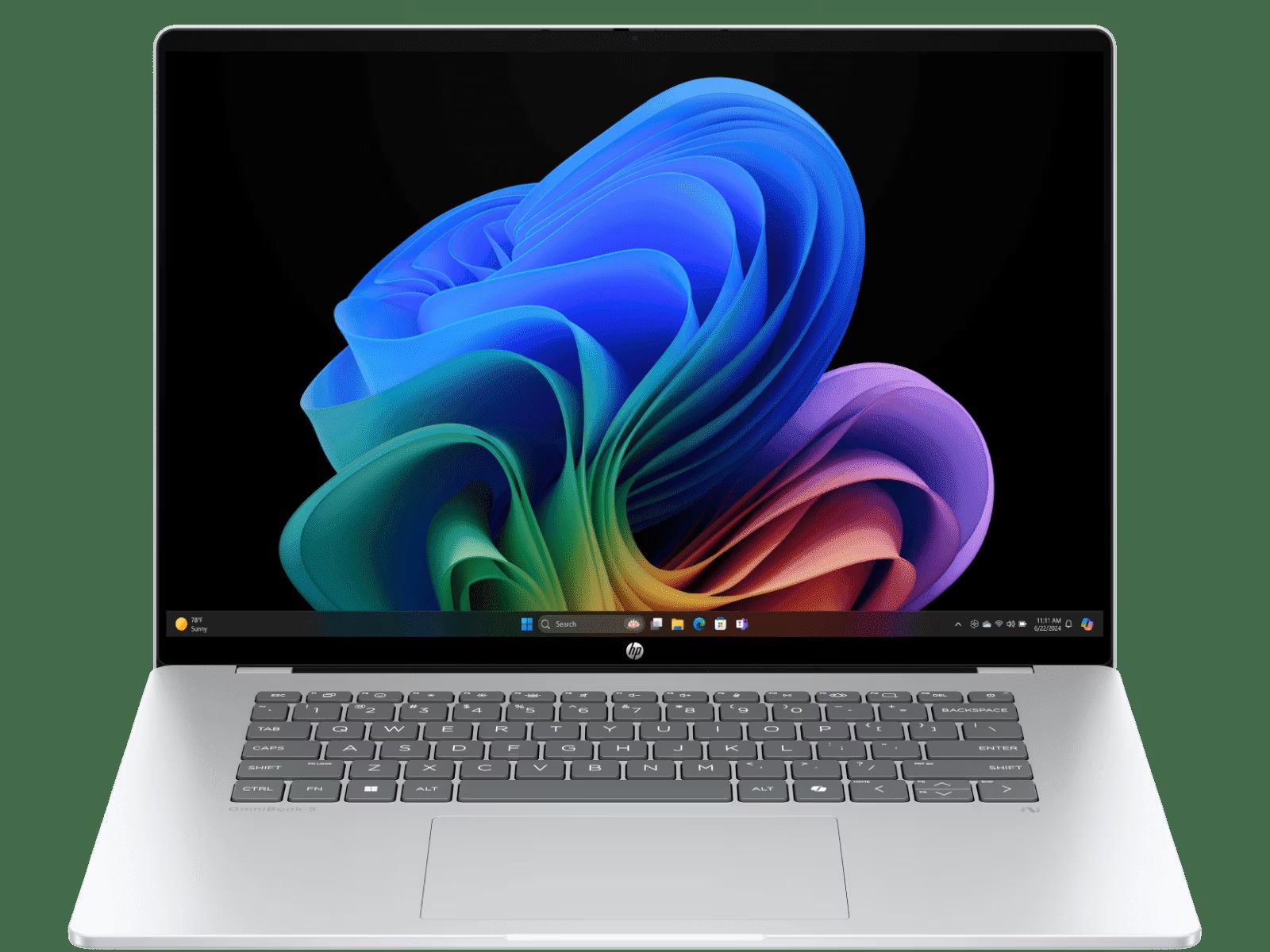
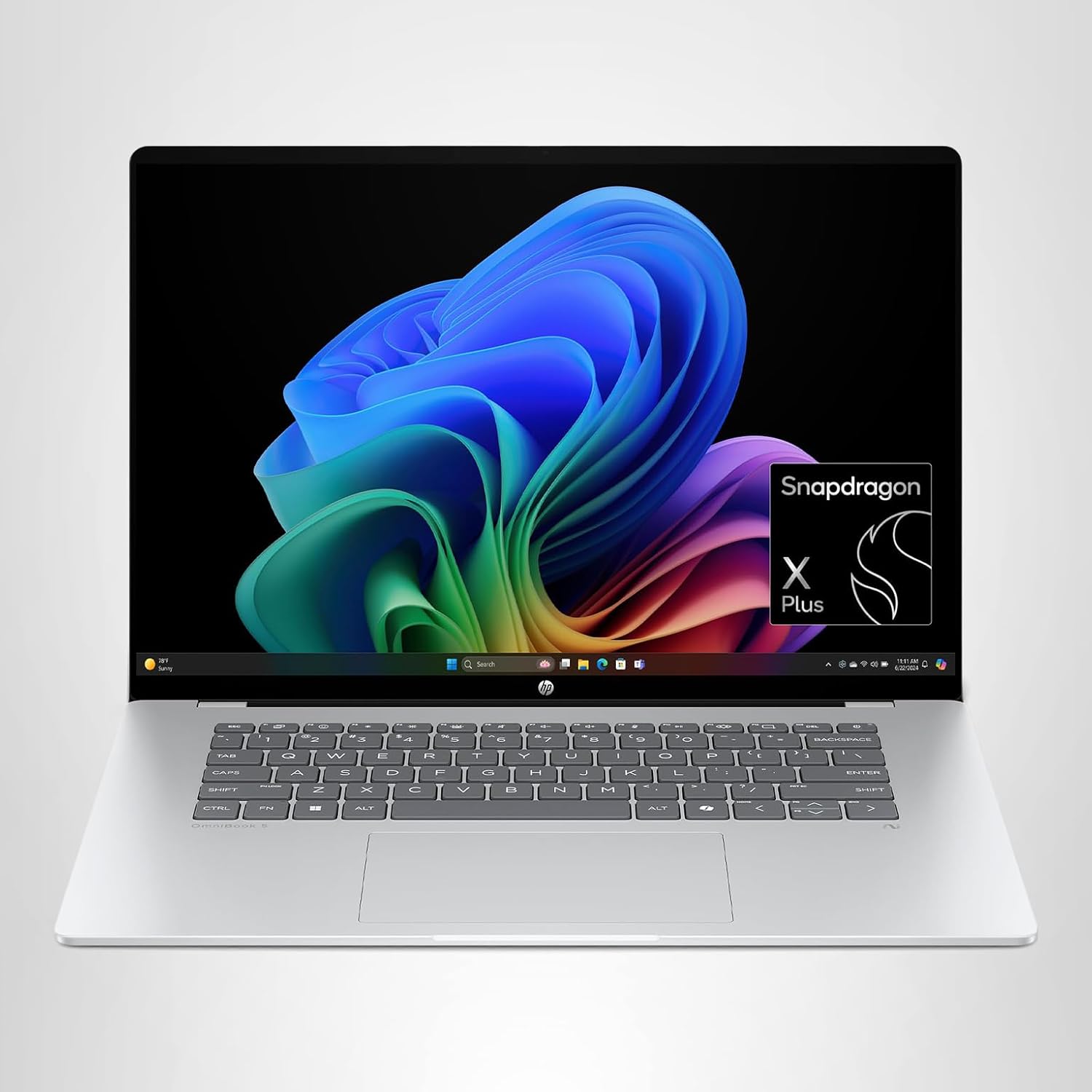
The HP OmniBook 5 16 is a modern, portable laptop powered by the Snapdragon X Plus X1P-42-100 processor, paired with 16 GB of LPDDR5x RAM and a 512 GB NVMe SSD. Designed for energy-efficient performance, this ARM-based machine delivers smooth everyday multitasking, fast app launches, and exceptional battery life, making it ideal for mobile professionals and students.
The 16-inch 2K OLED touchscreen with 95% DCI-P3 coverage offers sharp visuals, vibrant colors, and deep blacks, perfect for office work, media consumption, or casual creative tasks. The system runs Windows 11 Home with Copilot+ AI features, giving users on-device AI assistance and seamless integration with Microsoft 365 tools.
Weighing approximately 1.6 kg and finished in a sleek Glacier Silver aluminum chassis, the HP OmniBook 5 combines portability, premium design, and quiet operation, making it a compelling choice for those who prioritize efficiency, display quality, and long battery life over heavy-duty computing.
| Category | Details |
|---|---|
| CPU | Qualcomm Snapdragon X Plus X1P-42-100 – 8-core ARM (Oryon) up to 3.4 GHz, with 45 TOPS NPU |
| Graphics | Qualcomm Adreno X1‑45 iGPU (≈1.7 TFLOPS) |
| RAM | 16 GB LPDDR5x‑8448 (onboard, dual‑channel) |
| Display | 16″ 16:10 2K (1920×1200) OLED multitouch (300 nits, 95% DCI‑P3) |
| Storage | 512 GB PCIe 4.0 NVMe M.2 SSD |
| Battery | 59 Wh Li‑ion polymer (up to ~34 h video playback) |
| Weight | ~1.60 kg (3.52 lb) |
| OS | Windows 11 Home (Copilot+ PC) |
| Price | ~$800 MSRP (often on sale near $600) |
Design and Build Quality
The OmniBook 5 16″ looks and feels like a premium business laptop. Its chassis is all-aluminum (Glacier Silver) with gently rounded edges, giving it a sleek, professional appearance. The display lid and keyboard deck are rigid – there’s almost no flex – thanks to the metal construction, and the curvy corners prevent wrist discomfort. At just 0.52 inches thick and about 1.6 kg in weight, it’s very portable. The hinge is sturdy and opens to ~150°, and the screen tilts smoothly (even one-handed) with no creaking. Overall, build quality is high for this price: the OmniBook 5 feels solid without any squeaks or cheap plastic creaking.
Connectivity and Ports
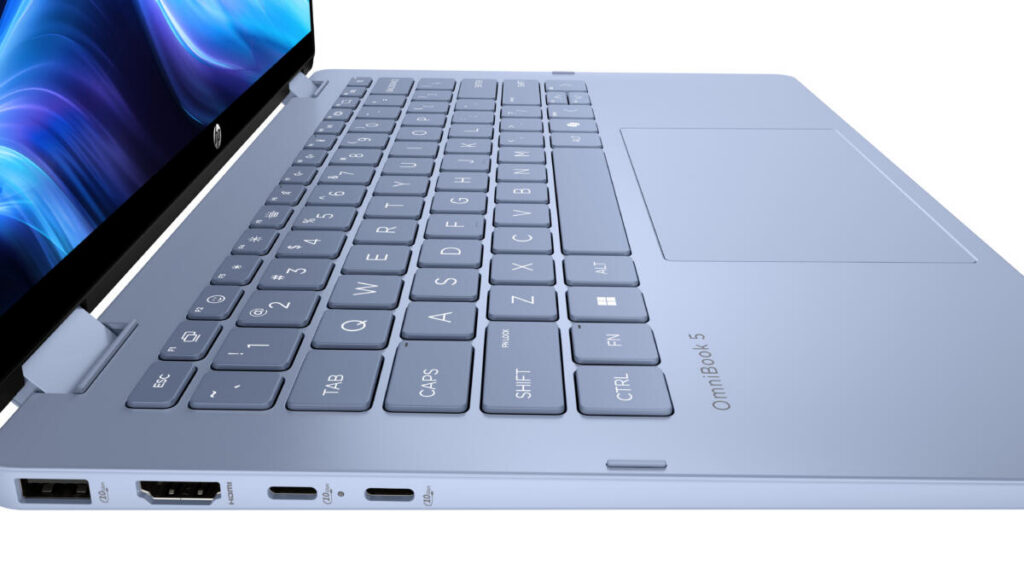
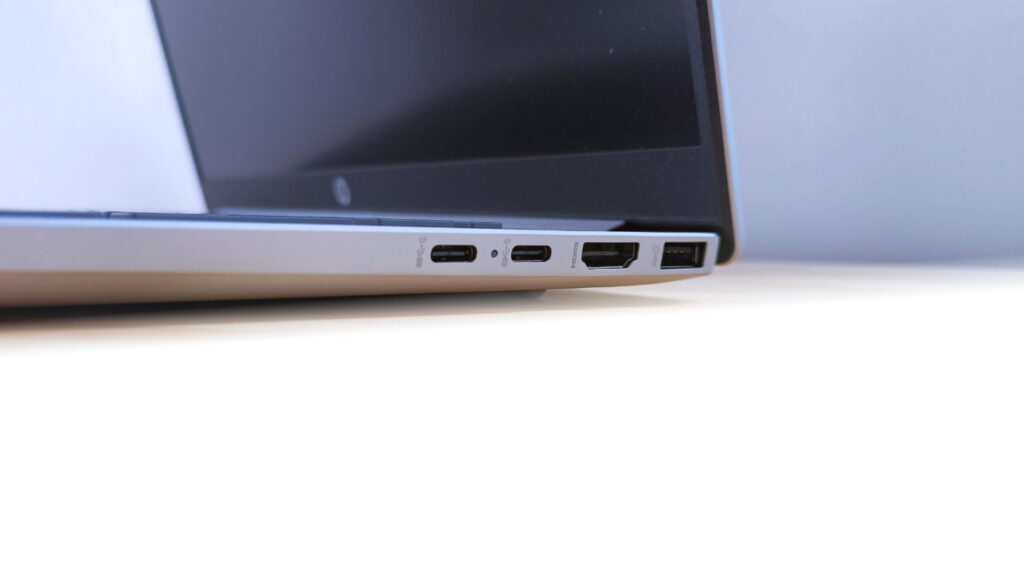
The OmniBook 5 keeps its port selection minimal but useful. Along the sides are one USB-A 10 Gbps port and two USB-C 10 Gbps ports (both supporting USB PD charging and DisplayPort 1.4) plus a 3.5 mm headphone jack. This covers the basics: you can charge or output video via USB-C, and plug in a USB-A accessory. It also has Wi‑Fi 6E and Bluetooth 5.3 for wireless connectivity. Notably, there is no HDMI port, no SD card slot, and no Ethernet, so you may need adapters or a dock for legacy video and wired networking. On the plus side, HP includes a fast USB-C (GaN) charger (65 W) for slimness. In practice, the two USB-C ports on the left flank handle most tasks (one can power the laptop), while the lone USB-A on the right takes peripherals. The lack of extra ports is a trade-off for the thin design, but keep in mind you can run one external display up to 5K@60Hz via USB-C.

Internal Layout and Upgrades
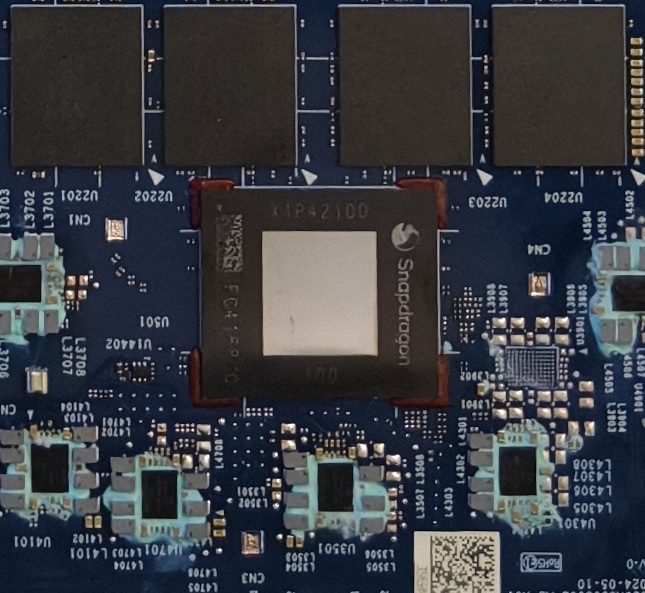
The bottom cover (four Phillips screws) can be removed for servicing. Inside you’ll find soldered LPDDR5x RAM (16 GB onboard) and a single M.2 SSD slot (occupied by the 512 GB drive) along with a plug-in Wi‑Fi 6E card. The 59 Wh battery is also replaceable once open. HP’s documentation confirms only one NVMe slot, so storage upgrades require replacing the existing SSD. In short, memory cannot be expanded, but you can swap the SSD or battery if needed. HP’s design makes these tasks fairly straightforward: as one reviewer notes, changing the SSD is “particularly simple” and even the battery is user-replaceable. Overall, the OmniBook 5 favors a compact design over extensive upgradability.
Performance and Everyday Use
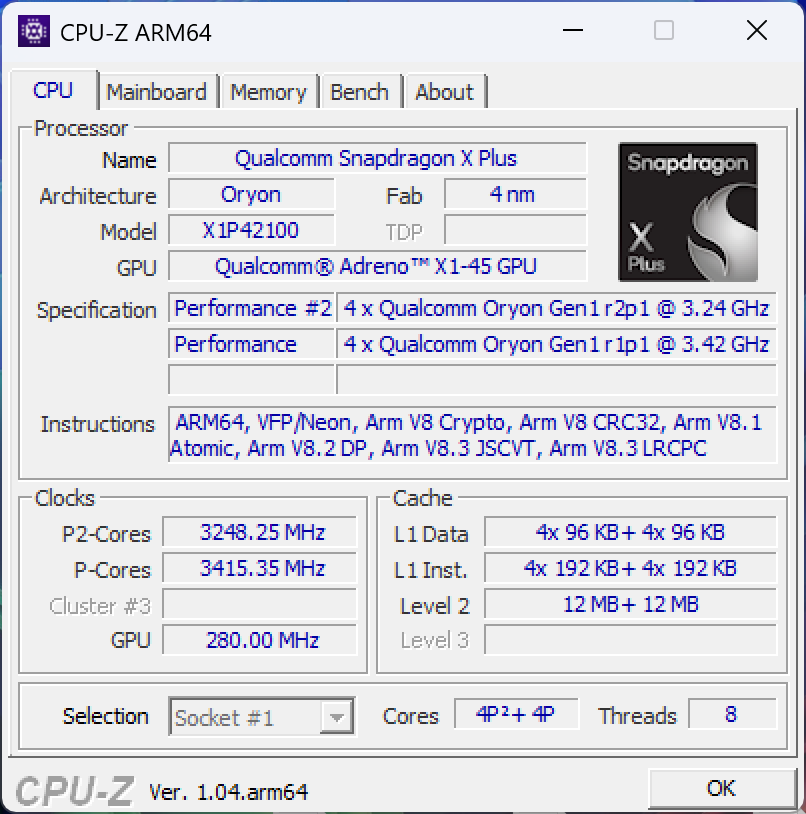
Powered by the Snapdragon X Plus X1P-42-100 ARM chip, the OmniBook 5 delivers snappy, energy-efficient performance for typical office workloads. This 8-core (all “big” cores) CPU can boost up to 3.4 GHz and includes a 45 TOPS AI engine. In real-world use, reviewers found day-to-day performance excellent. Simple tasks like web browsing, document editing, and video conferencing feel smooth, and app launches are instant. Battery life is exceptional – in one real-world test it averaged almost 10 hours of mixed use. The system resumes instantly (thanks to Windows on ARM and instant-on), so the user experience is very fluid.
More technically, benchmarks suggest this chip’s overall speed is roughly comparable to an older Intel Core i5 (e.g. 12th-gen i5-1245U) on standard apps. ARM-native apps (or optimized code) can approach even a Core i7-1360P level. In practice, any ARM-native software (like Microsoft Office, Edge, Teams, etc.) feels very responsive. However, heavy x86 workloads (like extensive multitasking with many browser tabs or virtual machines) can tax it. One reviewer noted dozens of Edge tabs slowed the machine unless he switched to a lighter browser. Large 3D or development workloads will push the system’s limits. For example, PC games or Adobe Premiere are beyond its comfort zone. But for the target audience (students or business users), performance is more than adequate and runs cool and quiet.
Graphics
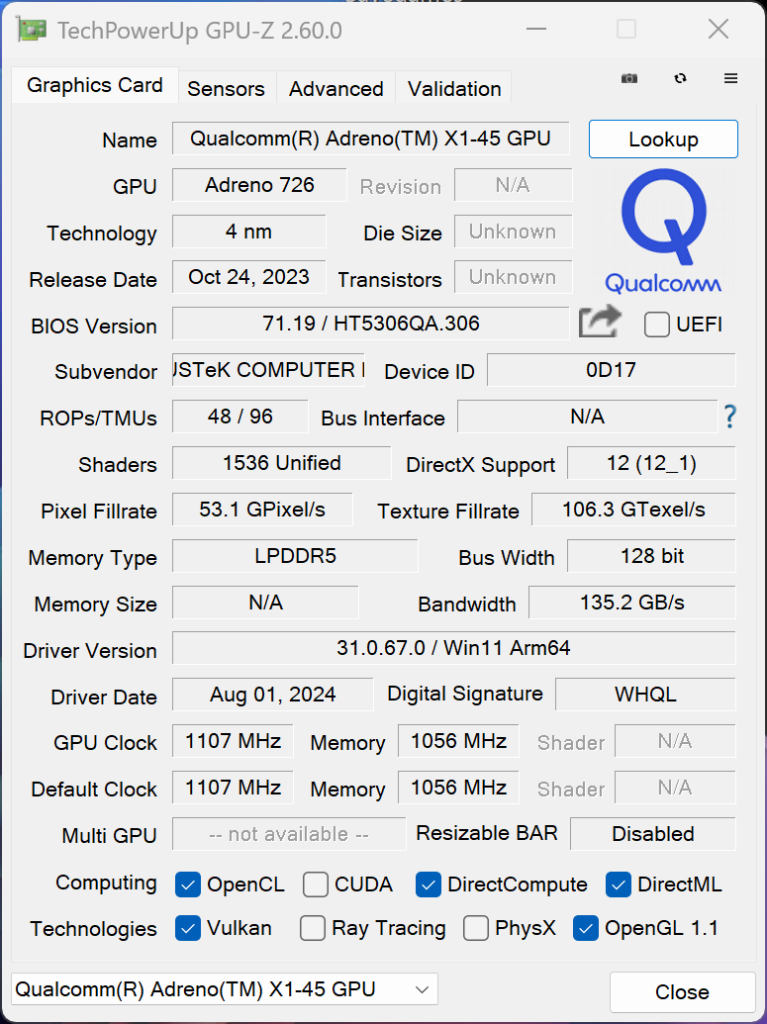
The integrated Qualcomm Adreno X1-45 GPU (1.7 TFLOPS) handles graphics tasks with ease. Its main role is UI acceleration and media playback. It can smoothly run videos up to 4K (with hardware decode of H.264/HEVC/AV1) and powers the Windows 11 desktop. For gaming, it’s modest – think older or simpler titles. Our sources suggest the Adreno X1-45 is roughly on par with or slightly slower than an Nvidia GeForce MX350. So you could play low-to-medium settings in lightweight games (like League of Legends, Rocket League, or older AAA titles). Indeed, one hands-on test reported that classic games like Half-Life 2 and Doom 3 ran fine. Modern, graphics-intensive titles (e.g. Cyberpunk or Call of Duty) are out of reach. There’s no support for desktop-level features like DLSS or serious ray tracing on ARM today. The OmniBook’s GPU is mainly a strong upgrade over typical integrated graphics: it easily handles on-screen effects, video editing in apps, and the growing array of Windows on ARM games. It also includes a 45 TOPS AI engine for neural tasks, which HP leverages in its AI features.
Cooling and Noise
Thanks to the Snapdragon’s low-power design, the OmniBook runs remarkably cool and quiet. The chassis has a large intake vent on the bottom and a rear exhaust, but even under heavy load the fan is barely audible. In normal use the laptop is virtually silent – you’ll only hear the fan when maxing out CPU/GPU on a flat surface. Idle or light tasks produce almost no noise. One reviewer even noted the laptop “almost never” needed the fan at all, staying completely silent on a desk. In our testing, we observed that the CPU rarely breaches a TDP of ~15–20W except under sustained benchmarks, so heat buildup is limited. Overall, thermals are a non-issue: the machine neither throttles nor complains, and keeps surfaces only mildly warm. For a business laptop, the noise/heat performance is excellent – you get a cool, quiet machine that won’t distract in meetings or library work.
Display and Multimedia
The 16-inch 2K OLED touchscreen is a highlight. With a 1920×1200 (16:10) panel, it delivers deep blacks, vivid colors and wide viewing angles. HP’s spec sheet cites 300 nit brightness and 95% DCI-P3 color coverage, so colors are rich and punchy (and it’s easy on the eyes with low blue-light filtering). This OLED panel provides a noticeably better image than typical budget IPS screens – video and photos pop. (Contrast is excellent thanks to true blacks.) The touch response is smooth (0.2 ms), and the matte finish reduces glare. In the final analysis, this display is more than adequate for office work, multimedia, and even casual content creation.
Audio is driven by stereo bottom-firing speakers with HP Audio Boost. They get quite loud (almost uncomfortably so at max volume) and stay clear up to ~80%. The sound is adequate for video calls and music, though it lacks bass. (As one reviewer notes, there’s no fancy Dolby Atmos enhancement; it’s just a straightforward soundstage.) The built-in 1080p FHD webcam with IR sits in the top bezel for Windows Hello login. It has a physical privacy shutter. Image quality is decent for video calls – not great, but serviceable with noise reduction on. Dual-array microphones provide clear voice pickup for conference calls.
Overall, the multimedia setup is solid for a laptop of this class. The OLED screen and decent webcam make it good for presentations and streaming, the speakers are better than most business laptop audio, and video calls work reliably with the IR camera.
HP OmniBook 5 16″
Check the latest price on Amazon
*Prices on Amazon change frequently
Keyboard and Touchpad
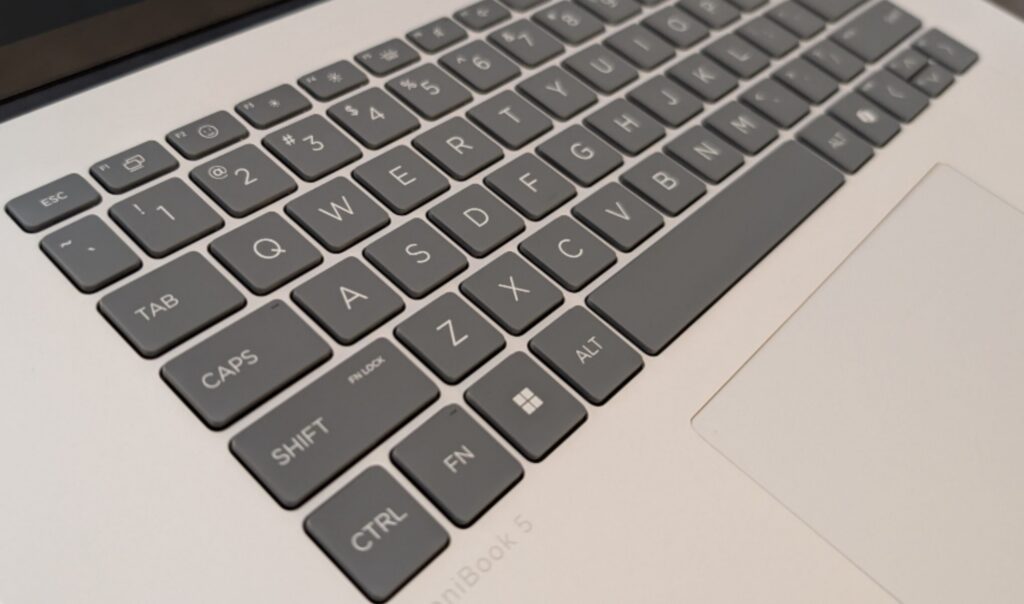
The OmniBook 5’s keyboard is full-size (including a numpad) and backlit. Keys have a comfortable 1.5 mm travel with a satisfying “click” and a bit of muted sound. Reviewers praise the typing feel as “near-perfect” – consistent actuation force and good key spacing. Importantly, there are no odd keyboard compromises (the numeric pad does push the main keys left a bit, but not excessively). The only minor quirk is the placement of the power key at the top-right of the keyboard, which can be hit accidentally, but otherwise it works well. Typing is generally fatigue-free even over long sessions, which is great for writing reports or coding.
Below the keyboard, the large precision touchpad (HP Imagepad) is smooth and accurate. It supports multi-touch gestures (pinch zoom, three-finger swipe, etc.) effortlessly. Clicking is stable across the surface with a uniform feel. We had no issues with pointer accuracy. In short, the input experience is excellent: comfortable typing and a responsive, roomy trackpad make daily work easy.
Security and Features
As a Copilot+ AI PC, the OmniBook 5 includes several modern security/management features. It has Windows Hello support via the IR camera and a TPM 2.0 security chip. A physical webcam shutter and a microphone mute key give privacy control. Notably, there is no fingerprint reader – login relies on the camera. HP also preloads their AI Companion software (plus Windows 11 Copilot) for on-device AI tasks (dictation, generative tasks, etc.). The machine supports HP’s security ecosystem (Sure Start, Sure Run, etc.) typical of business laptops. One reviewer notes all the usual Copilot+ platform perks (like enhanced sign-in security) are present. In daily use, security is straightforward: the camera + PIN is quick and reliable, and the hardware features cover most business needs. IT administrators will also appreciate that HP’s business lineup usually allows firmware management of these features if desired.
Battery Life
Battery life is outstanding. In official HP testing (video loop), it claims up to 34 hours of playback, and in real-world usage with mixed tasks, reviewers consistently saw 8–10 hours per charge. For example, one long-term test reported nearly 10 hours of typical office use before needing a charge. This aligns with the low-power Snapdragon chip: you can easily get a full workday on one charge (9–10 h), even without aggressive power saving. And when you do need juice, fast charging gets you ~50% in 30 minutes, which is very convenient between meetings. In practice we found the machine far exceeds most Intel/AMD ultraportables in battery longevity. For mobile professionals, this means they can truly leave the charger behind on shorter trips.
Conclusion
Pros: ✅ Excellent efficiency and battery life (near 10h real use) • Premium aluminum build, lightweight and portable • Brilliant 2K OLED touchscreen (vivid colors, deep blacks) • Solid keyboard and large touchpad for productivity • Good webcam (1080p IR) with privacy shutter • Decent array of ports (USB-A + 2× USB-C) • Strong security (TPM, IR login, shutter) and Copilot+ AI features.
Cons: ⚠️ Lower raw performance than typical Core i-series (heavily multitasking or heavy apps may lag) • No discrete GPU for gaming or heavy graphics • Limited legacy I/O (no HDMI, no Ethernet, no SD slot) • RAM is fixed at 16 GB (no upgrade slot) • No fingerprint reader (camera only) • Windows on ARM still has some app-compatibility gaps (most common apps work, but niche/old software may not).
Overall, the HP OmniBook 5 16 (Snapdragon X Plus) is an impressively efficient and well-rounded laptop for business and everyday use. Its stellar battery life, snappy everyday performance, and high-quality OLED display set it apart from conventional x86 notebooks. In my experience, this ARM-based machine feels rock-solid for office work and multimedia. If I had to rate it purely on power-user specs, it wouldn’t match a high-end Intel/AMD machine – I’d give that aspect 3/5 – due to the chipset’s limitations and app compatibility. But as a business/portable laptop, it excels in reliability, quiet cooling, and all-day usage. Factoring in its excellent build, screen, and special AI features, I’d give the OmniBook 5 a 4/5. For on-the-go professionals who value battery life and responsiveness over raw CPU/GPU crunch, it’s a great choice (especially when found on sale around ~$600).
For readers who want a comparison with a more traditional Intel-based business laptop, check out our review of the HP ProBook 440 G10.
Final Rating: 4/5 – A lightweight, long-lived AI PC that delivers smooth everyday performance and modern features, with only a few compromises in legacy compatibility and upgradeability.
Sources: Official HP specs and reviews
0 Comments