

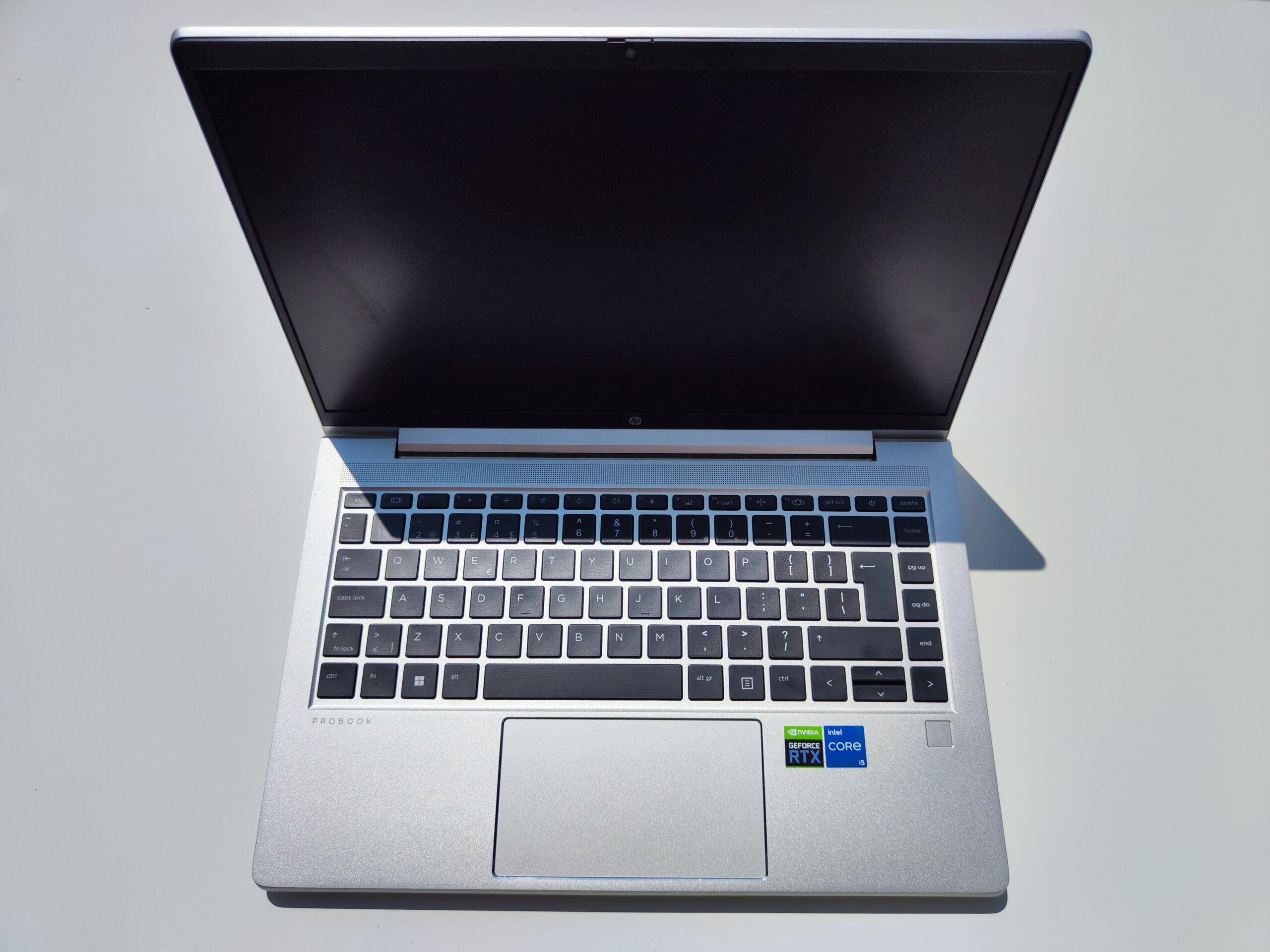
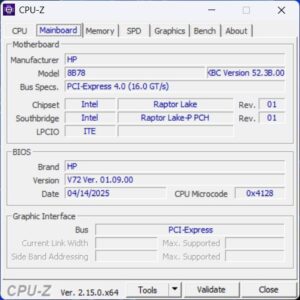
The HP ProBook 440 G10 is a modern business laptop that, unlike the AMD-based ProBook 445 G10, features an Intel Core i5-1335U processor from the Raptor Lake family. This CPU is designed for a balance of performance and energy efficiency, resulting in solid performance, reasonable temperatures, and long battery life.
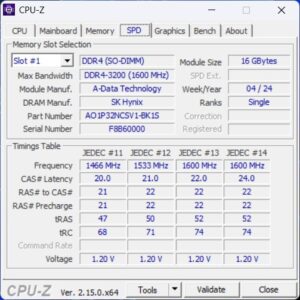
For a price of around €830, users get a well-configured machine with 16 GB of DDR4-3200 RAM (our test unit had 32 GB) and a fast 512 GB NVMe SSD. The display is handled by a 14-inch matte IPS panel with a 16:9 Full HD resolution (1920 x 1080 pixels), offering sharp visuals and wide viewing angles—ideal for everyday office work.
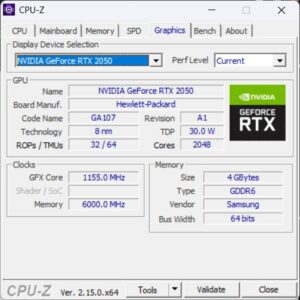
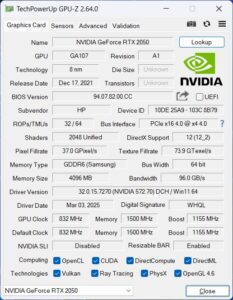
A major advantage of this model is its dedicated NVIDIA GeForce RTX 2050 GPU, which sets it apart from most business laptops, providing additional graphics power for light creative tasks, multimedia use, and basic video editing.
The system comes pre-installed with Windows 11 Pro, making it ready to use straight out of the box. With a weight of approximately 1.38 kg and a durable chassis, the HP ProBook 440 G10 is a perfect companion for mobile professionals who need a solid mix of performance and portability.
| Category | Details |
| CPU | Intel Core i5-1335U – 10 cores (2P + 8E), up to 4.6 GHz |
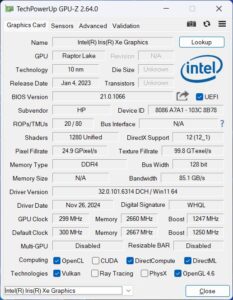
| Graphics | Intel Iris Xe Graphics + NVIDIA GeForce RTX 2050 (4 GB GDDR6 VRAM) |
| RAM | 32 GB DDR4-3200 SO-DIMM |
| Display | 14″, 16:9, Full HD 1920 × 1080 px, matte IPS, 60 Hz |
| SSD | 512 GB NVMe SSD PCIe 4.0 |
| Weight | ~1.38 kg (charger ~250 g) |
| Price | €830–900 (depending on configuration and region) |
| Link | HP Probook 440 G10 |
HP ProBook 440 G10 Design and Build Quality
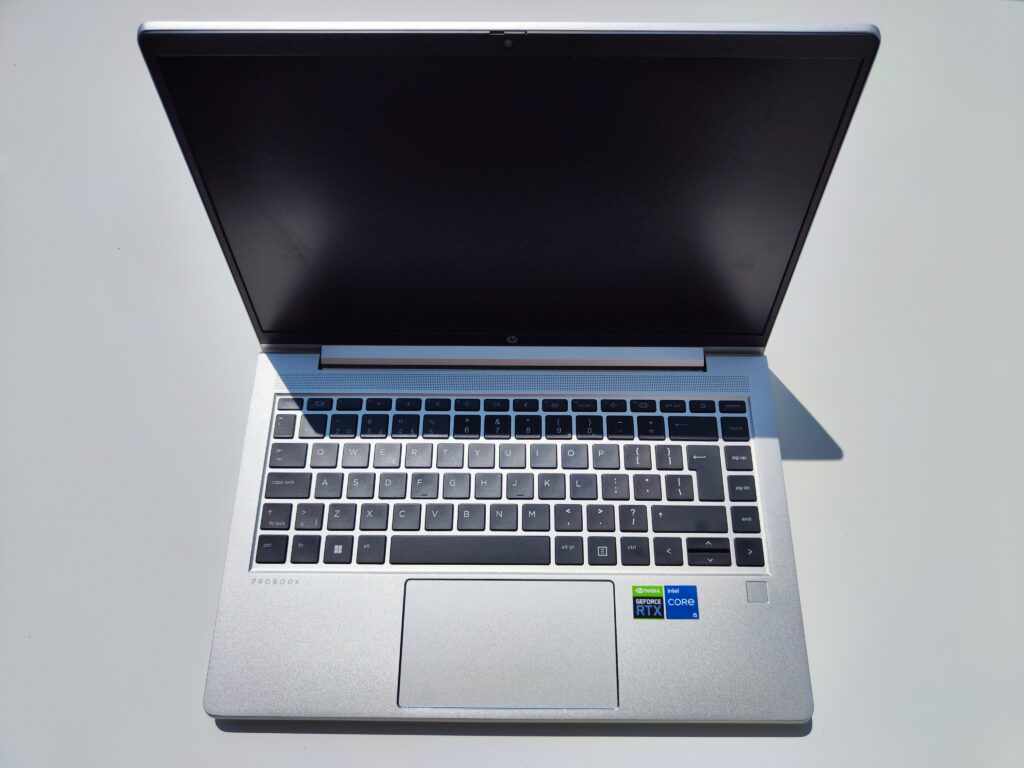
The HP ProBook 440 G10 continues the established business design of previous models—minimalist, clean, and professional. The chassis comes in a subtle silver-grey tone, giving it a polished look suitable for office environments or business trips.
The body is primarily made from high-quality plastic, with an aluminum-reinforced lid and keyboard deck, improving overall rigidity. There’s minimal flex even under pressure—an important trait for mobile use.
The hinges are smooth and stable, allowing the display to tilt up to about 150 degrees—sufficient for most office tasks. The screen can also be opened with one hand, indicating well-balanced hinges.
At ~1.32 kg and under 20 mm in thickness, the ProBook 440 G10 is easy to carry and fits comfortably in most bags or backpacks.
Connectivity and Ports
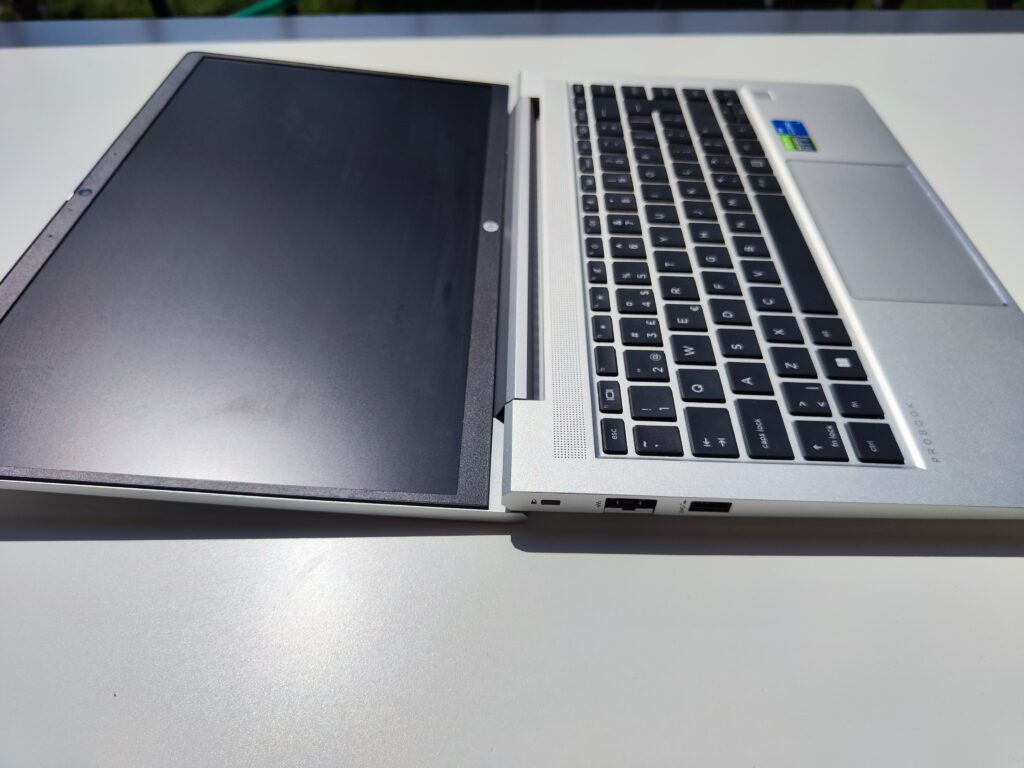
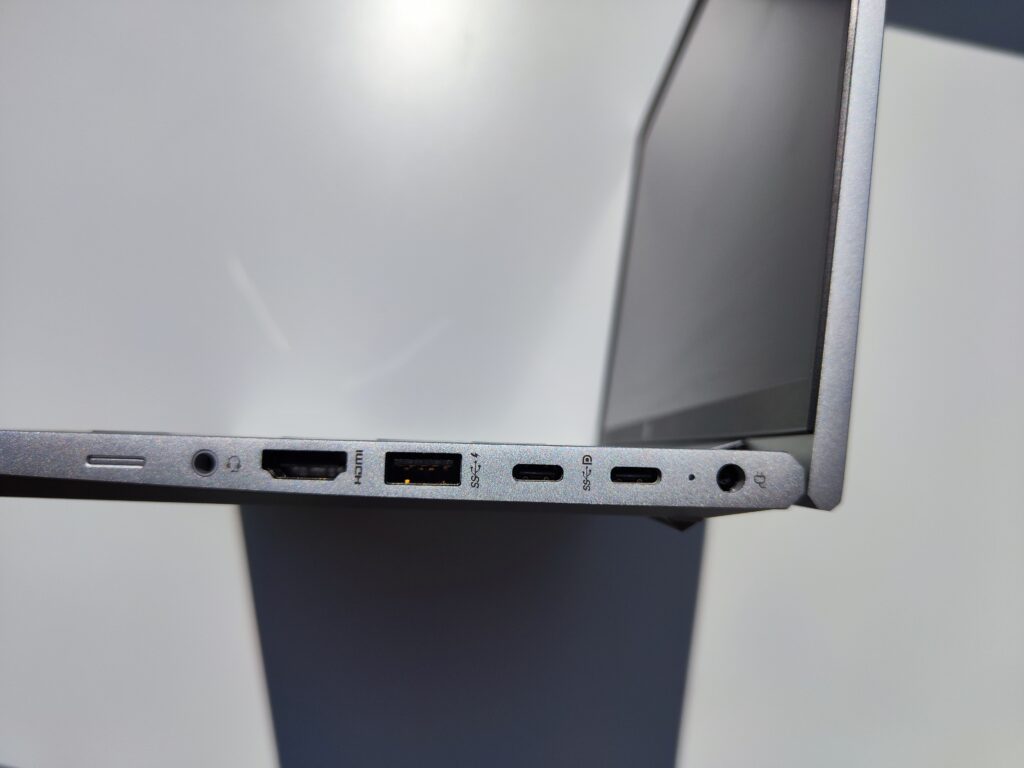
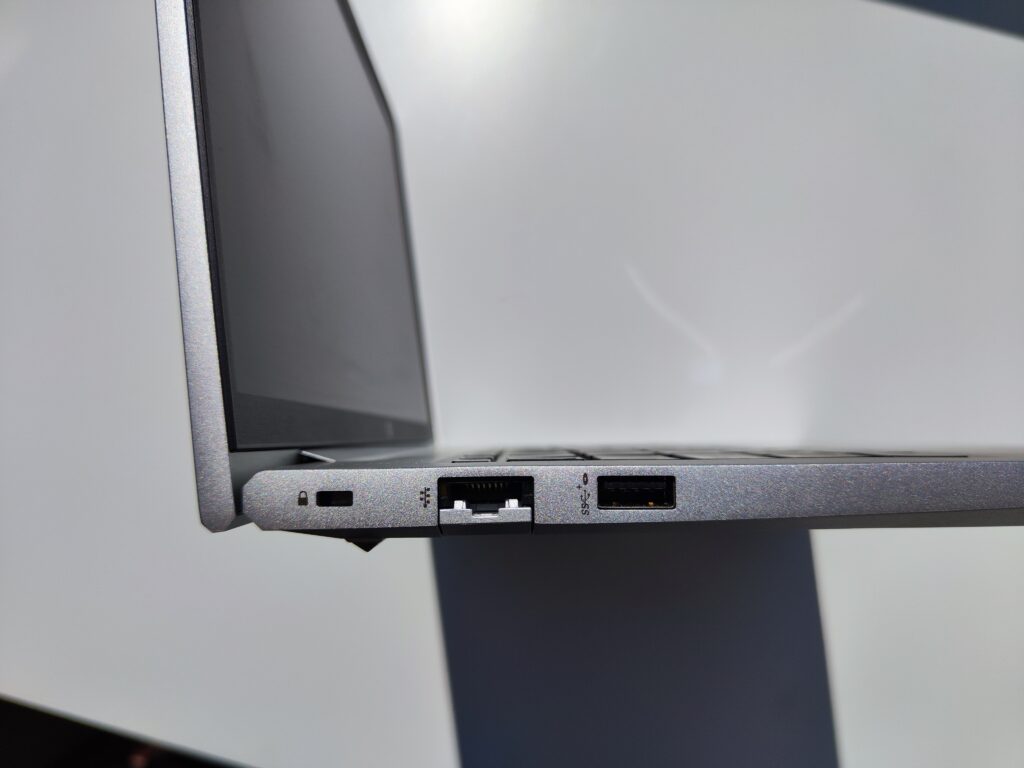
TThe ProBook 440 G10 offers a well-balanced selection of ports that cover both modern and legacy needs, which is especially useful in business environments.
Left side:
- 1 × USB-A 3.2 Gen 1
- 1 × RJ-45 (Gigabit Ethernet)
- 1 × Kensington Lock slot
Right side:
- 1 × power connector (round pin)
- 1 × USB-C 3.2 Gen 2 (supports charging, DisplayPort 1.4, data transfer)
- 2 × USB-A 3.2 Gen 1
- 1 × HDMI 2.1 (supports 4K @ 60 Hz)
- 1 × 3.5 mm audio combo jack
The USB-C port is definitely a plus — it supports both charging and video output via DisplayPort 1.4, so connecting an external monitor and charging with a single cable is super convenient, especially for mobile users.
The full-size HDMI 2.1 port and RJ-45 Ethernet also come in handy for connecting to office monitors, projectors, or wired networks — no need for adapters or dongles.
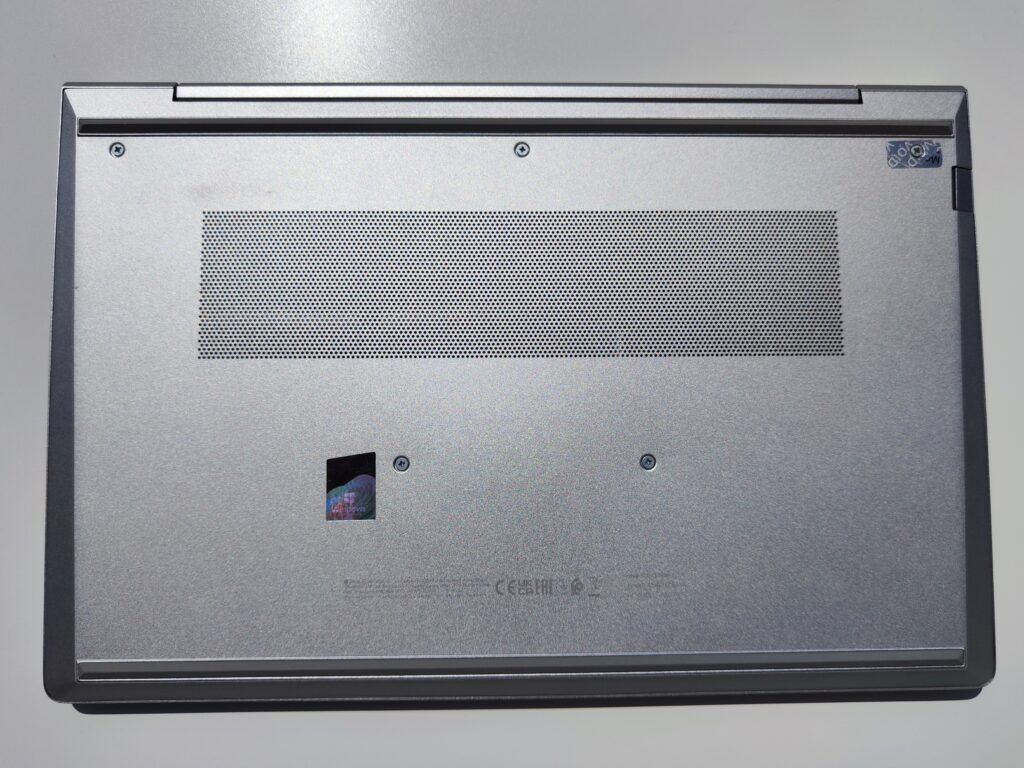
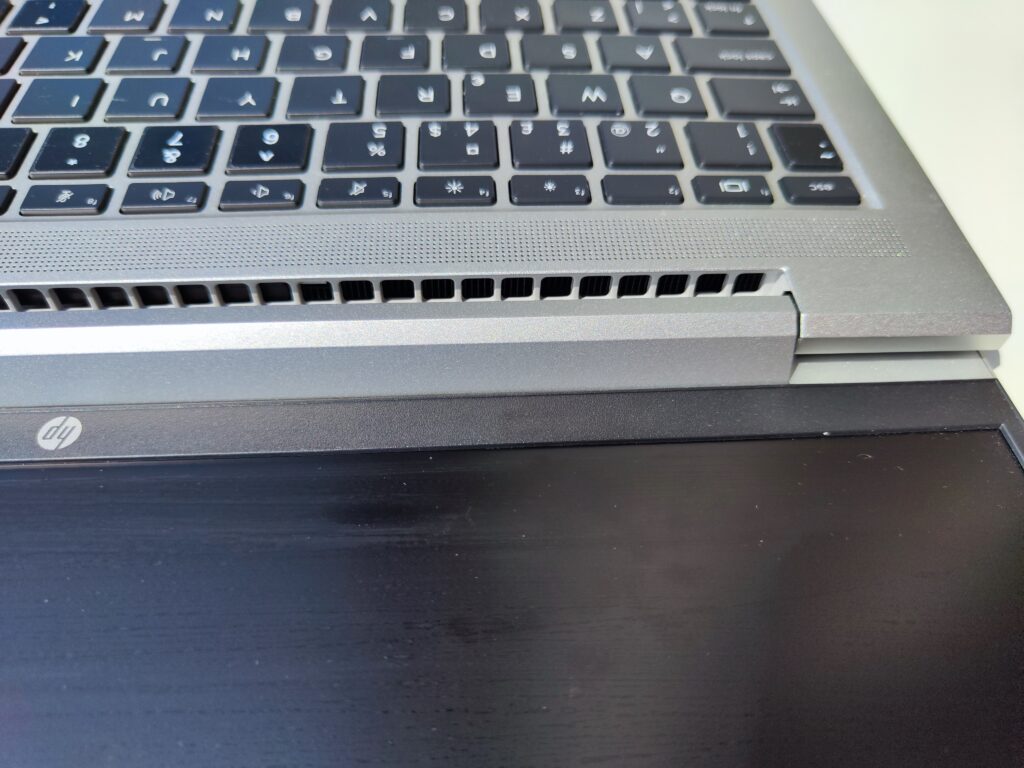
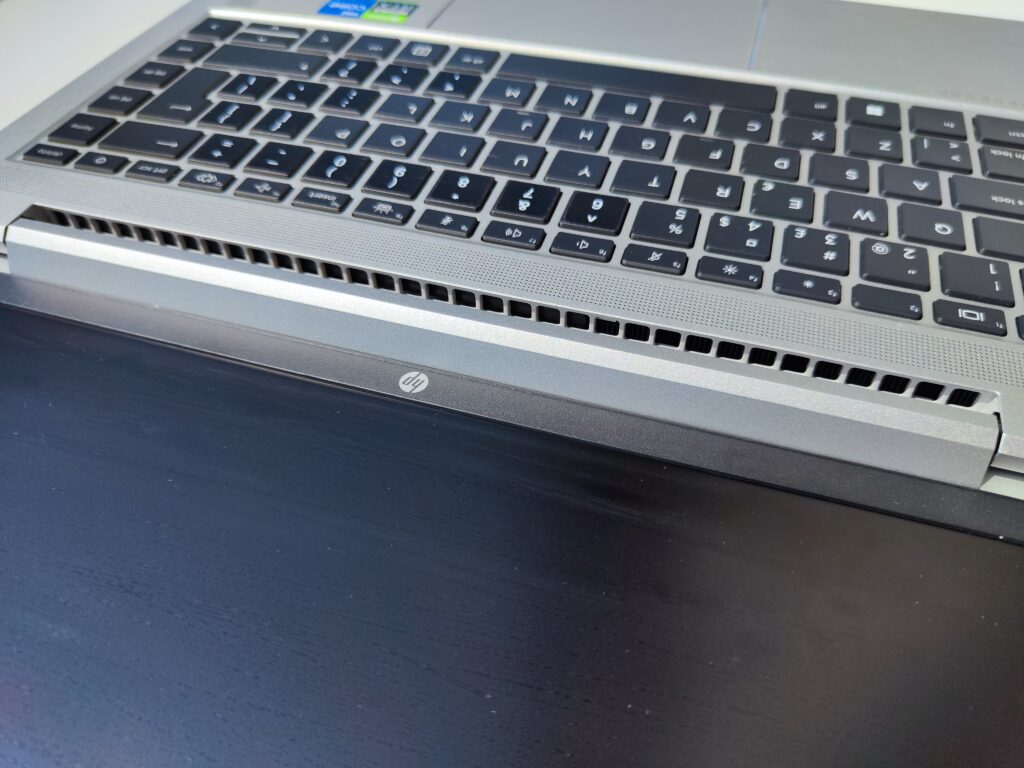
That said, I personally think the laptop could use at least one more USB-A port. With so many accessories still relying on USB-A, it’s easy to run out of ports. What’s more, the fan exhaust is directed toward the display hinge rather than the side, which leaves plenty of unused space on the sides of the chassis — room that could have easily been used for additional connectivity.
Internal Layout and Upgradeability
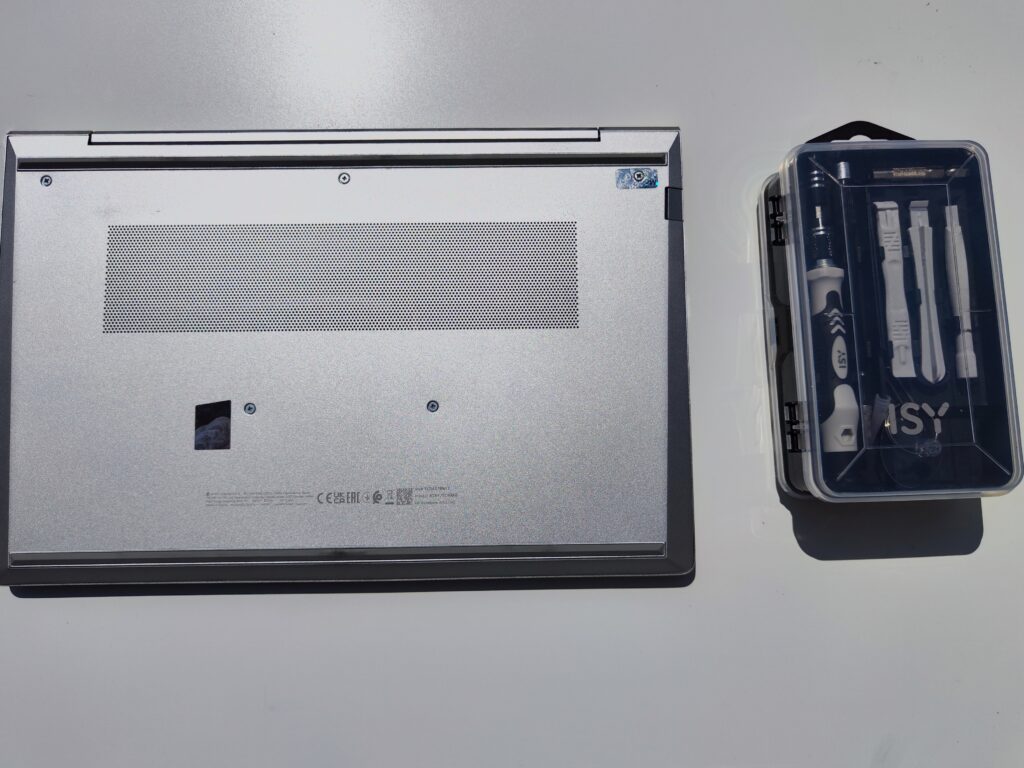
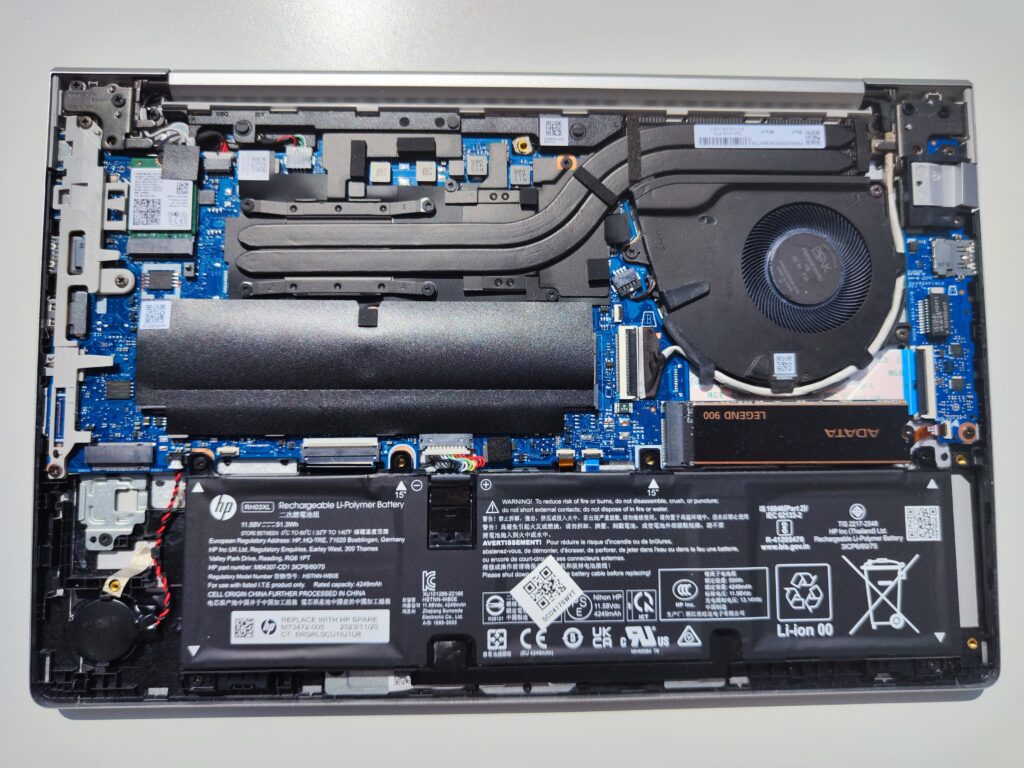
Removing the bottom panel provides access to a well-organized interior designed for easy servicing and upgrades. The cover is held by several Phillips screws and plastic clips—use a plastic pry tool to avoid damaging the edges.
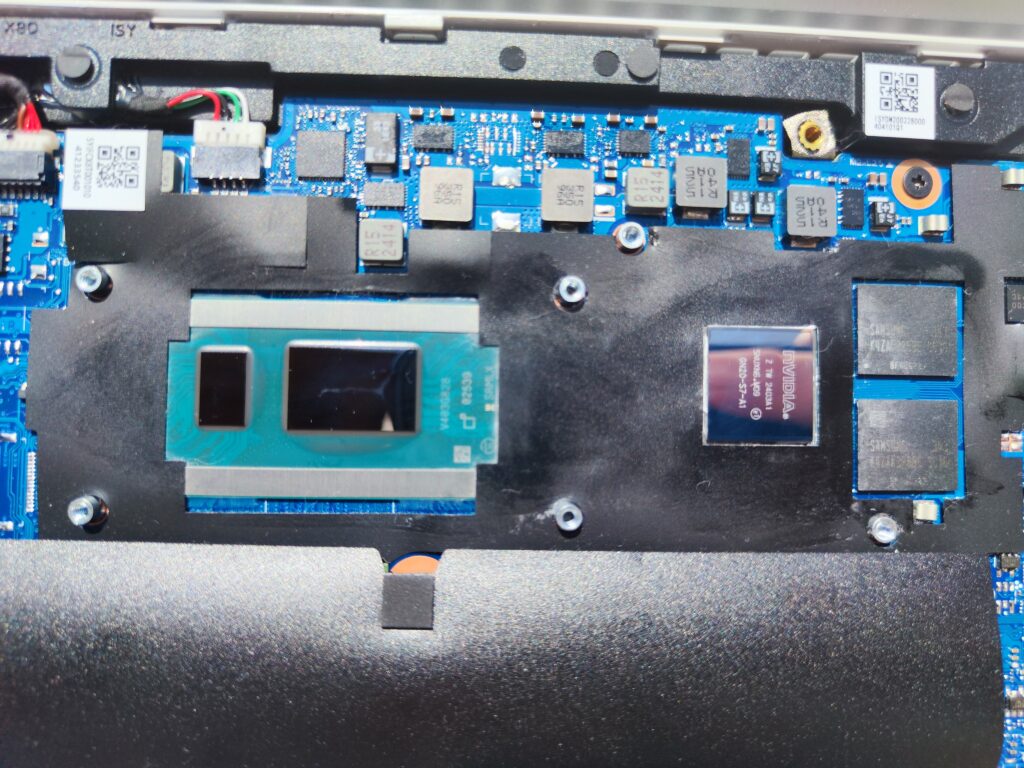
Inside, you’ll find:
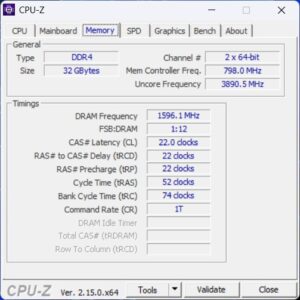
- Two RAM slots: our unit had 2 × 16 GB (32 GB total), dual-channel at 3200 MHz
- M.2 NVMe SSD: originally a Samsung, replaced with an ADATA Legend 900 in this test
- Room for a second M.2 SSD: depending on the variant (instead of a WWAN module), though no SATA connector
- Wi-Fi module: M.2 form factor, replaceable
- Battery: 51 Wh, screwed in, easy to replace
- Cooling system: dual heat pipes with a medium-sized fan, cooling both CPU and optional RTX 2050 GPU
The layout is clean and logical—HP clearly considered upgradability and maintenance.
Performance and User Experience
The Intel Core i5-1335U delivers really solid performance for what I need. It handles multitasking, office work, and video calls without breaking a sweat. Paired with 32 GB of RAM, the laptop runs smoothly even with heavier business workloads — no slowdowns or hiccups so far.
The 512 GB SSD is fast and responsive, which makes a big difference in daily use. That said, if you deal with larger files or install a lot of software, the storage might start to feel a bit tight over time — something to keep in mind.
Graphics
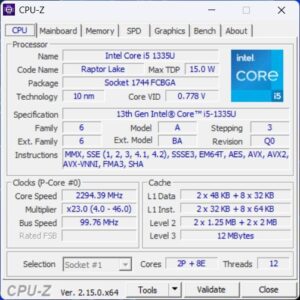
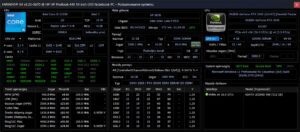
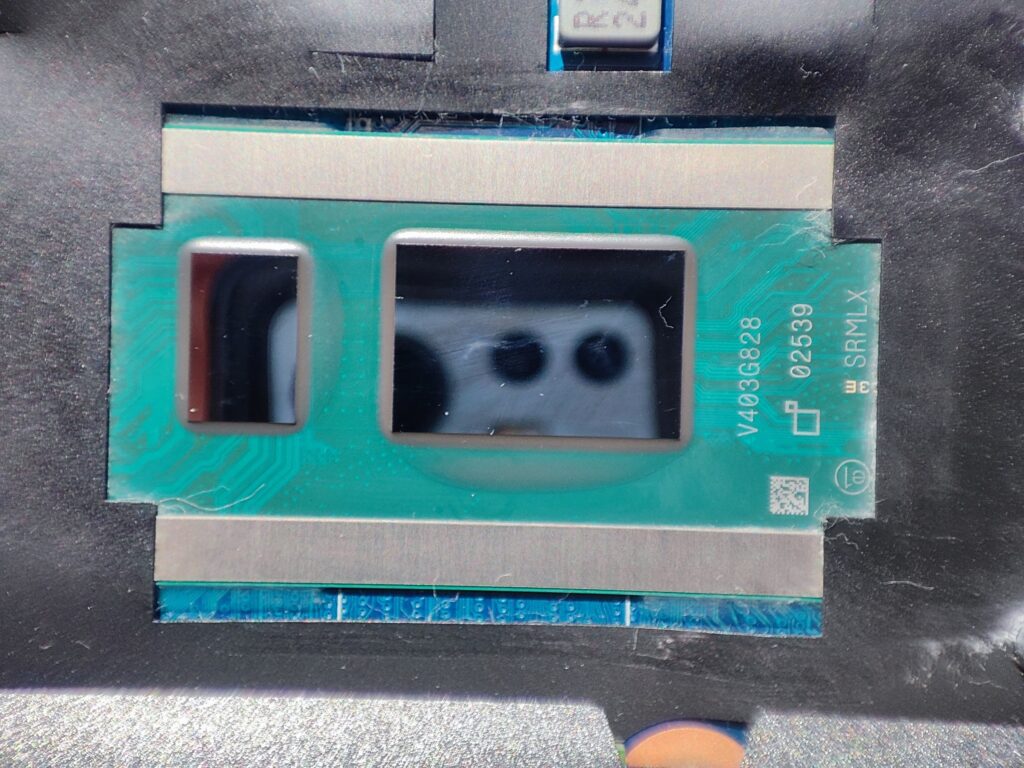
The Intel Core i5-1335U in HP ProBook 440 G10 is a 13th generation unit with 10 cores, providing smooth work in office applications, web browsers and during video conferences. Combined with 32 GB of RAM, the laptop can handle multitasking without lag.
Graphics
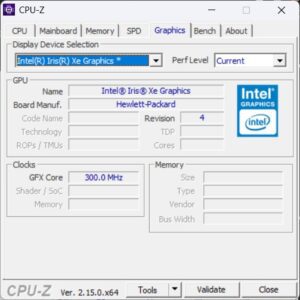
The integrated Intel Iris Xe Graphics works well for office and multimedia use, including HD video playback and basic 2D graphics editing (e.g., Canva, GIMP, Photoshop for light photo retouching). It can run light games like LoL, CS:GO, or The Sims 4 at medium/low settings.
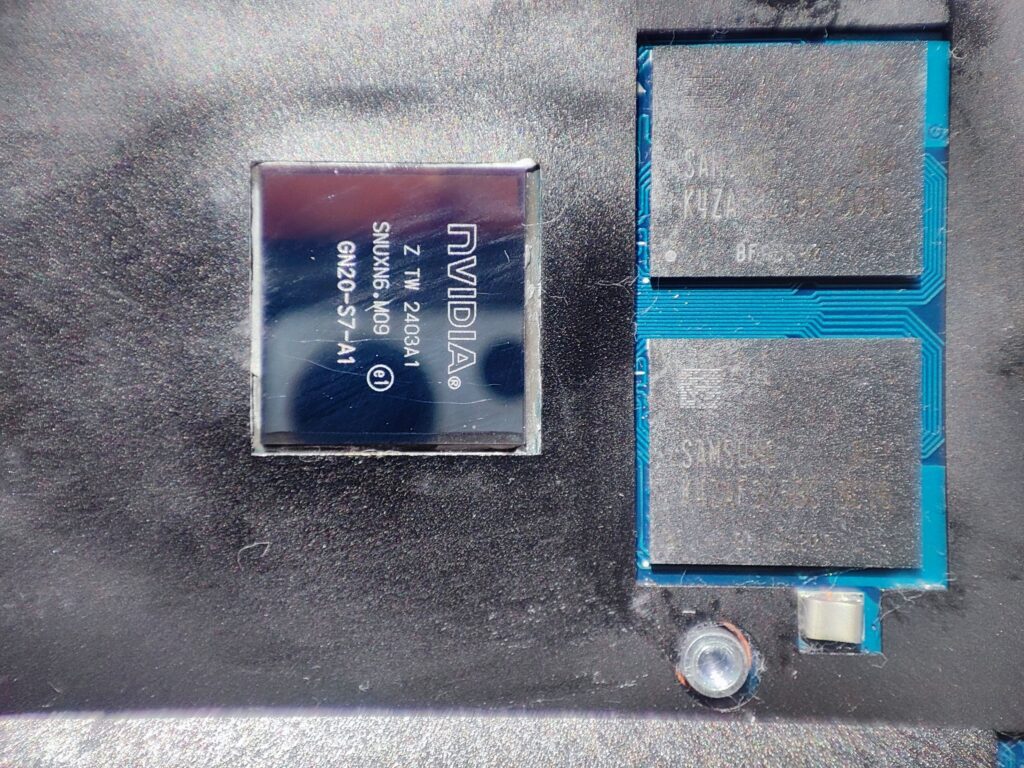
However, the standout feature is the dedicated NVIDIA GeForce RTX 2050. Though the entry-level model of the RTX 30xx series, it offers:
Compatibility with popular graphics engines and video editing tools
Playable performance in newer titles (GTA V, Fortnite, Valorant, FIFA 23, Cyberpunk 2077 – medium settings)
Support for ray tracing and DLSS
Cooling and Noise
The system uses a single fan and dual heat pipes. Under typical loads, the laptop stays quiet. Under heavier workloads, fan noise increases slightly. Unfortunately, the fan exhaust is directed at the screen, which isn’t ideal—this causes the GPU to throttle under load, with clocks dropping to as low as 400 MHz without a cooling pad. The thermal limit of 70°C further restricts GPU performance under prolonged stress.
Display and Multimedia
The 14-inch IPS display offers decent viewing angles and color reproduction that’s fine for everyday work. The matte finish is a plus, as it helps reduce glare. While standard brightness is rated at 250 nits, our test unit came with a 300-nit panel — which still isn’t ideal for outdoor use or very bright environments.
In my opinion, the standard 250-nit panels fall below what I’d consider the minimum for comfortable daily use, especially if you’re working in well-lit rooms. It’s definitely worth paying attention to the exact display specs before buying, as panel quality can vary depending on the configuration.
The stereo speakers deliver okay sound for video calls and casual media consumption. The built-in HD webcam includes a privacy shutter, and the dual microphones support noise reduction, which makes it suitable for remote meetings or video conferencing.
Keyboard and Touchpad
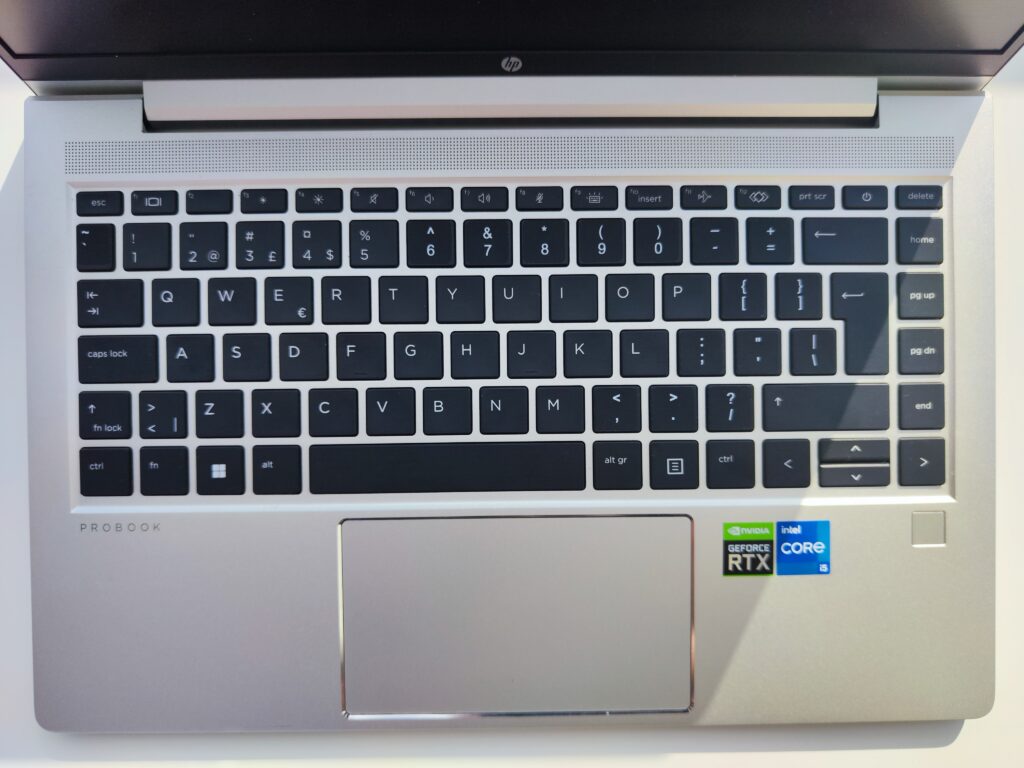
The spill-resistant chiclet keyboard on the HP ProBook 440 G10 is backlit and genuinely pleasant to type on. The key travel feels just right — not too shallow, not too deep — and overall it’s comfortable even during longer writing sessions. Typing on it just feels good.
The precision touchpad is also solid. It supports multitouch gestures and makes navigation smooth and intuitive, whether you’re working in Windows or browsing the web.
Security and Management Features
The HP ProBook 440 G10 comes equipped with a solid set of security features:
- TPM 2.0 module
- Fingerprint reader
- Webcam privacy shutter
- HP Sure Start Gen 7 (BIOS recovery)
- HP Sure Run Gen 5 (protection against unauthorized system changes)
These features help protect sensitive data and make IT management easier — especially in a business environment.
As for the webcam shutter, it’s a click-style cover that’s easy to slide back and forth. Honestly, it feels a bit too easy to move — not loose, but not as solid as I’ve seen in other laptops. For example, the Dell Latitude 5421 has a noticeably firmer and more secure shutter mechanism, which gives a bit more confidence when it’s in the “closed” position.
Battery Life
The 51 Wh battery in the HP ProBook 440 G10 holds up surprisingly well. During normal use — like browsing, working in Office apps, or video calls — the battery doesn’t drain quickly, which is something I really appreciate. I typically get around 8 to 10 hours of light to moderate usage without worrying about constantly looking for a charger.
On top of that, it supports fast charging, so you can get around 50% in just 30 minutes. That’s super convenient if you’re often on the move or just need a quick top-up between meetings.
Conclusion
Pros:
✅ Modern Intel Core i5-1335U processor
✅ Solid build and professional design
✅ Quality IPS screen with matte finish
✅ Wide selection of ports
✅ Strong security and business features
Cons:
⚠️ Display brightness could be higher
⚠️ Cooling system limits GPU under heavy load
⚠️ 70°C thermal cap on RTX 2050 leads to throttling without cooling pad
⚠️ Fan exhaust facing the screen impacts thermal efficiency
Final Rating: 4/5
In my opinion, the HP ProBook 440 G10 is a really solid laptop for work. It’s light, portable, fast, and has everything you need to handle day-to-day professional tasks. The bonus here is the RTX 2050 GPU — it’s not a gaming powerhouse, but it handles light gaming and creative workloads pretty well.
That said, it’s only fair to mention that the GPU has a 70°C thermal cap, which leads to noticeable throttling under load if you’re not using a cooling pad. Unfortunately, HP has locked any options to change this limit in the BIOS or through software, so there’s no easy way to get around it.
If this were a gaming laptop, I’d probably rate it 3/5 because of the thermal constraints. But since it’s a business-focused device that prioritizes quiet operation, efficiency, and reliability, I think a 4/5 is a fair and balanced score.
0 Comments