


Microsoft has quietly confirmed that it’s dialing back its aggressive AI-first strategy in Windows 11. An exclusive Windows Central report says Windows 11 engineers are pausing new Copilot integrations and “shifting away from ‘AI everywhere’” toward more sensible features. In practice, this means Copilot’s presence in core apps (like Notepad and Paint) is under review, and Microsoft has halted adding new Copilot buttons to built-in apps. The goal is to remove or rebrand intrusive AI toolbars and focus on the basics users actually want.
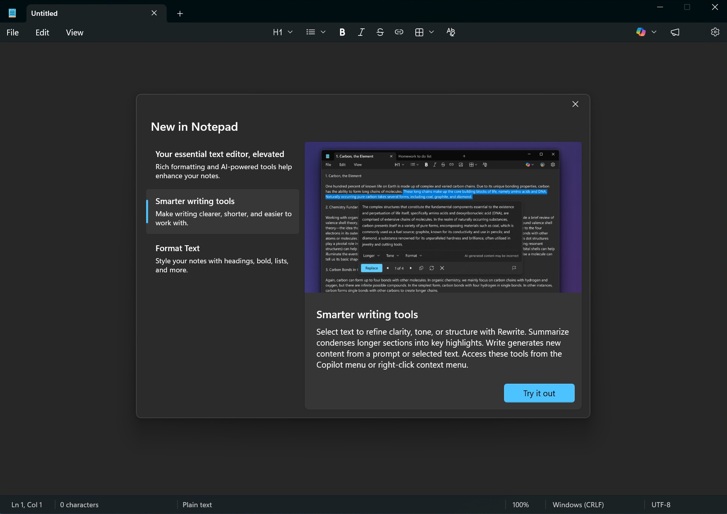
- Notepad/Paint AI under review: Microsoft sources tell Windows Central that Copilot integrations in basic apps (Notepad, Paint, etc.) are being re-evaluated and possibly removed.
- Copilot buttons paused: Work on adding Copilot buttons across Windows’ in-box apps is on hold for now. Microsoft plans to streamline the experience rather than slap the Copilot icon on every UI surface.
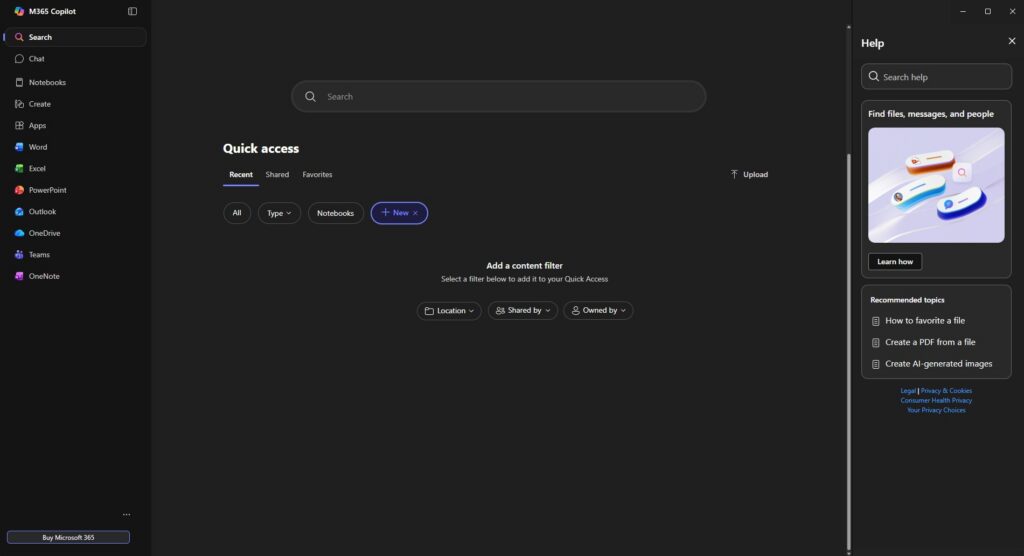
- Scaling back “AI everywhere”: Internal comments (cited by Windows Central) emphasize shifting away from the “AI everywhere” approach. As one source put it, Microsoft is now focused on “features that actually make sense for Windows users”.
Prioritizing Performance and Stability
At the same time, Microsoft is refocusing on core Windows quality. After a string of buggy updates, company leadership has told teams to fix the underlying issues. According to The Verge, engineers are “swarming” on Windows 11’s performance and reliability problems. President Pavan Davuluri says the 2026 goal is to improve “system performance, reliability, and the overall experience of Windows”. In practice, this means fixing annoying glitches (like File Explorer and dark-mode bugs), continuing driver and BSOD improvements, and ensuring updates no longer break PCs. (Windows 11 recently hit over one billion active devices, making stability a top priority.)
- Engineers on core fixes: Microsoft has reassigned engineers to tackle bugs and crashes. This year’s internal “swarm” effort is dedicated to boosting performance and reliability.
- Update crisis management: Recent patches (Jan 2026) caused shutdown and boot failures on some systems, forcing emergency out-of-band fixes. Microsoft is working to prevent such widespread breakage.
- Basic improvements underway: The company is rolling out fixes for long-standing issues – e.g. dark-mode UI glitches, File Explorer hiccups, and improved crash handling.
Community Backlash and Trust Issues
The pushback from PC enthusiasts has been loud. Many users derided Windows 11’s AI overload – even coining the nickname “Microslop” – as Microsoft inserted Copilot buttons into everything. Privacy and security experts also raised alarms about new AI features. For example, Tom’s Hardware notes that capabilities like the new Windows Recall are effectively “security nightmares” in their current form. Internally, Microsoft’s own metrics showed low adoption: The Register reports Microsoft was “desperate to find a way to make people use [Copilot]” since practically no one was using the AI tools on their own. For users struggling with performance issues alongside new AI features, a guide on how to speed up a slow Windows 11 PC can be particularly helpful.
In short, users wanted Windows to work reliably – not jumpy AI assistants in every corner. The lessons seem to have landed. Microsoft is now promising to “earn back” trust by listening to feedback and fixing fundamentals, rather than flooding the interface with unwanted AI.
Resistance to “AI everywhere”: Longtime Windows fans have balked at forced Copilot UI. Articles note that there simply aren’t enough useful AI features “to make people care about AI PCs,” and users tired of intrusive prompts.
Security and privacy concerns: Features like Recall and agentic AI introduced new risks. Experts warning that such autonomous AI capabilities are “security nightmares” added to user wariness.
Low user uptake: According to reports, Copilot and AI buttons saw very low engagement. Microsoft even tracked usage by synthetic cohorts because, in practice, “you don’t need to push actual [use] after a sale unless there is a crisis in usage”.
Rebuilding trust: Microsoft has acknowledged the feedback. Windows executives are publicly committed to improving stability and user experience to restore confidence.
Outlook: Fixes Before AI Experiments
Taken together, Microsoft’s latest signals suggest a back-to-basics phase for Windows 11. As Windows Central sums up, pulling back the AI push is “a big shift — fewer forced Copilot moments, a reworked Recall, and a more realistic approach overall”. While Microsoft will continue investing in AI behind the scenes (for developers and cloud services), the visible flood of Copilot buttons will be pared back.
In practice, Windows 11 users can expect upcoming updates to prioritize reliability over new AI gimmicks. The company has quietly “paused AI everywhere” integrations and redeployed teams to squash bugs. If this course correction succeeds, the result should be a smoother, more stable Windows 11 that still has AI under the hood – just not screaming for attention in every app.
Sources: Windows Central
0 Comments